
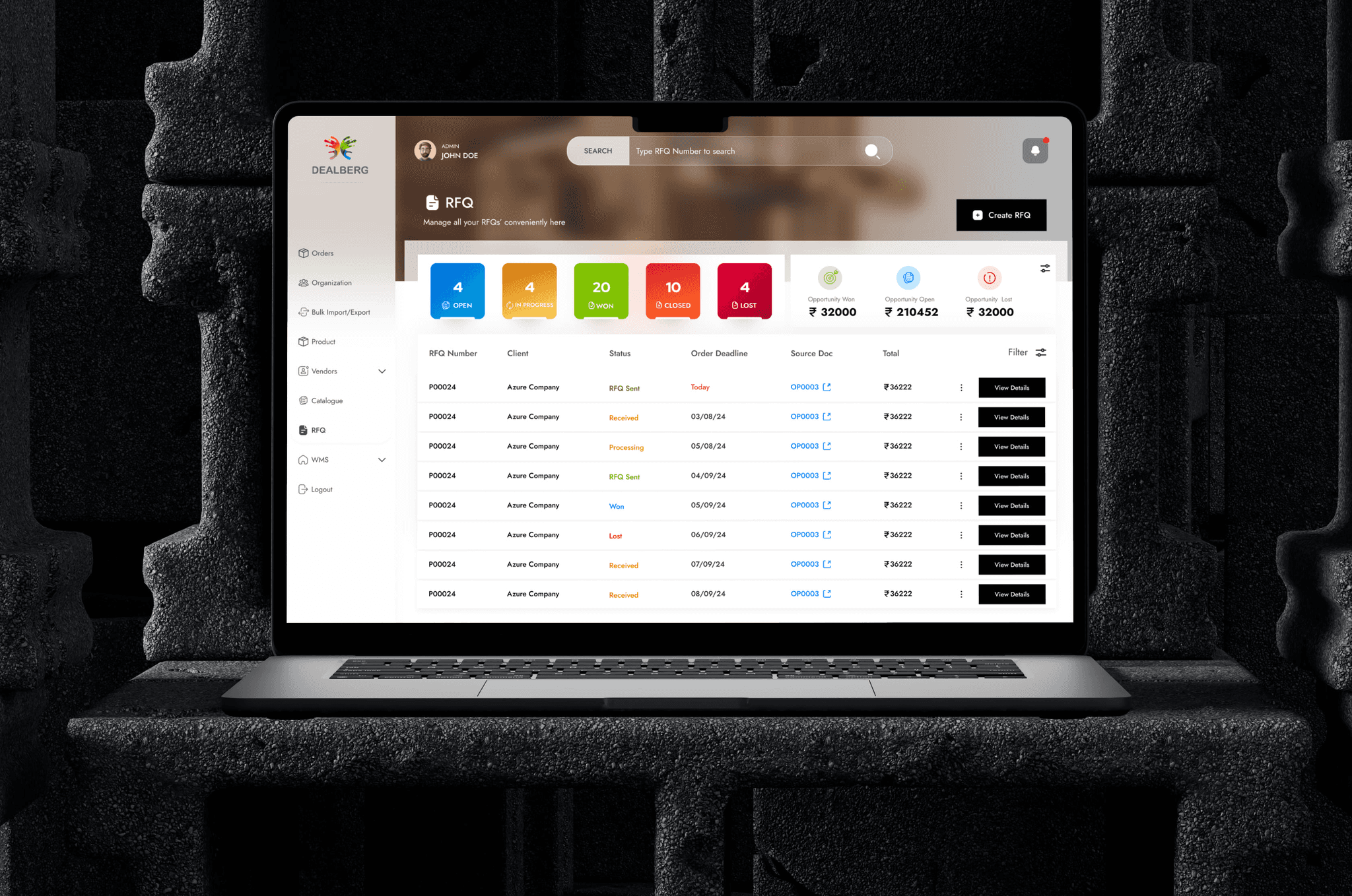
Streamlining Procurement with Precision
Another powerhouse in the Dealberg ecosystem is the Admin Panel—a robust interface designed for Account Managers, Warehouse Executives, and the broader operations team. It’s where all the behind-the-scenes magic happens to ensure every order flows smoothly from customer to vendor and back again.
How it Works:
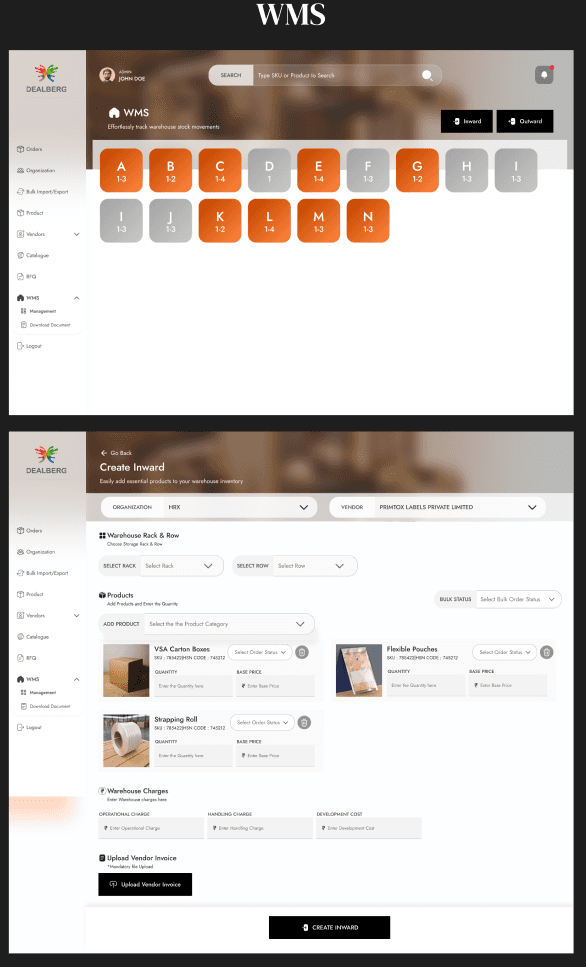
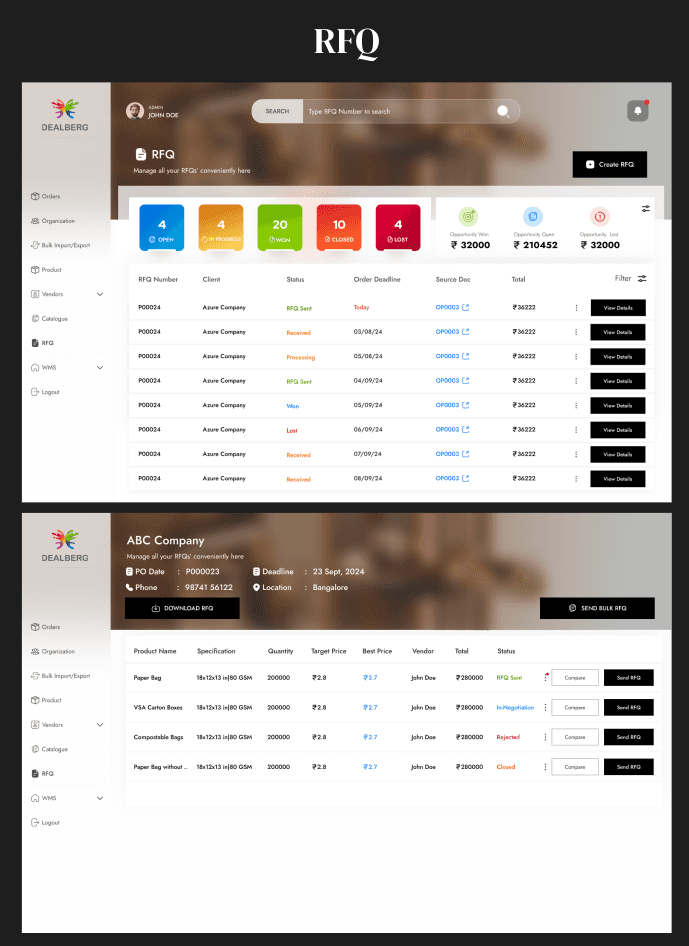
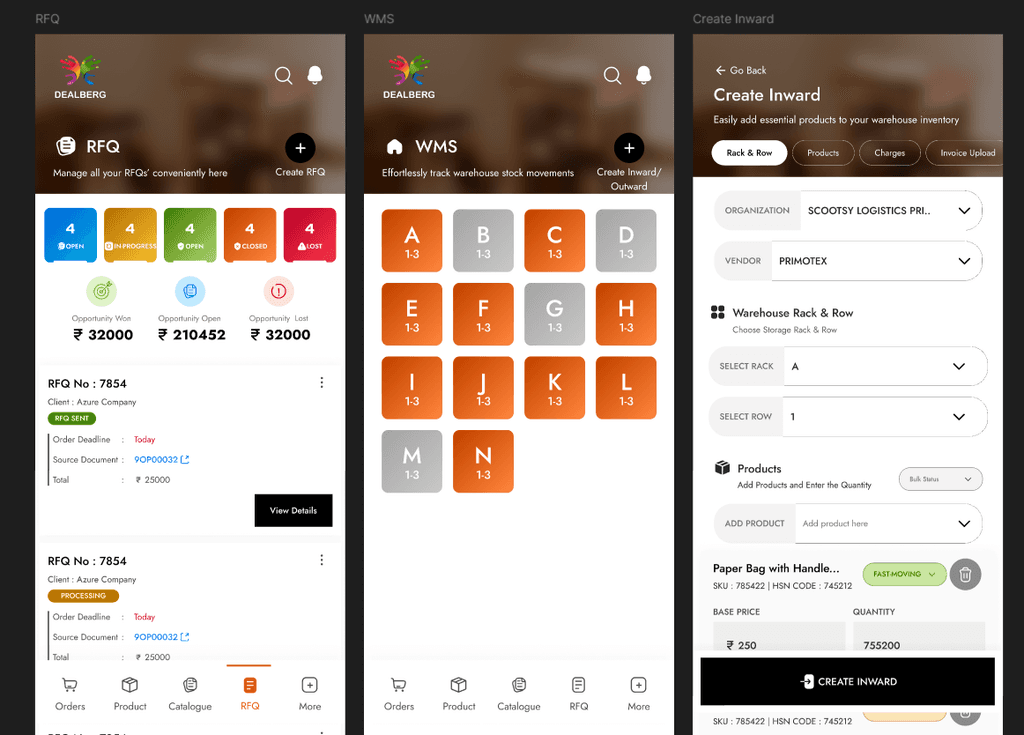
Every transaction—from customer to vendor and back—is routed through the Admin Panel to maintain accurate records and ensure smooth operations. In cases where a product request doesn’t match any existing vendors, the procurement team steps in to identify and onboard new vendors across India or specific regions, transferring requirements to them via the Vendor Panel. For large-scale orders, Account Managers use the panel to manually input and manage the request, overseeing everything from production to delivery. Recurring orders often flow through Dealberg’s own warehouses, where products are accepted via an inward warehouse process, stored, and later dispatched to clients using the integrated warehouse management system. The panel also includes features like RFQs for price comparison, vendor management tools, and much more. While the user flows are quite complex—spanning multiple journey maps, roles, and scenarios—further details remain confidential due to the sensitive nature of internal processes.
Business & Project Overview
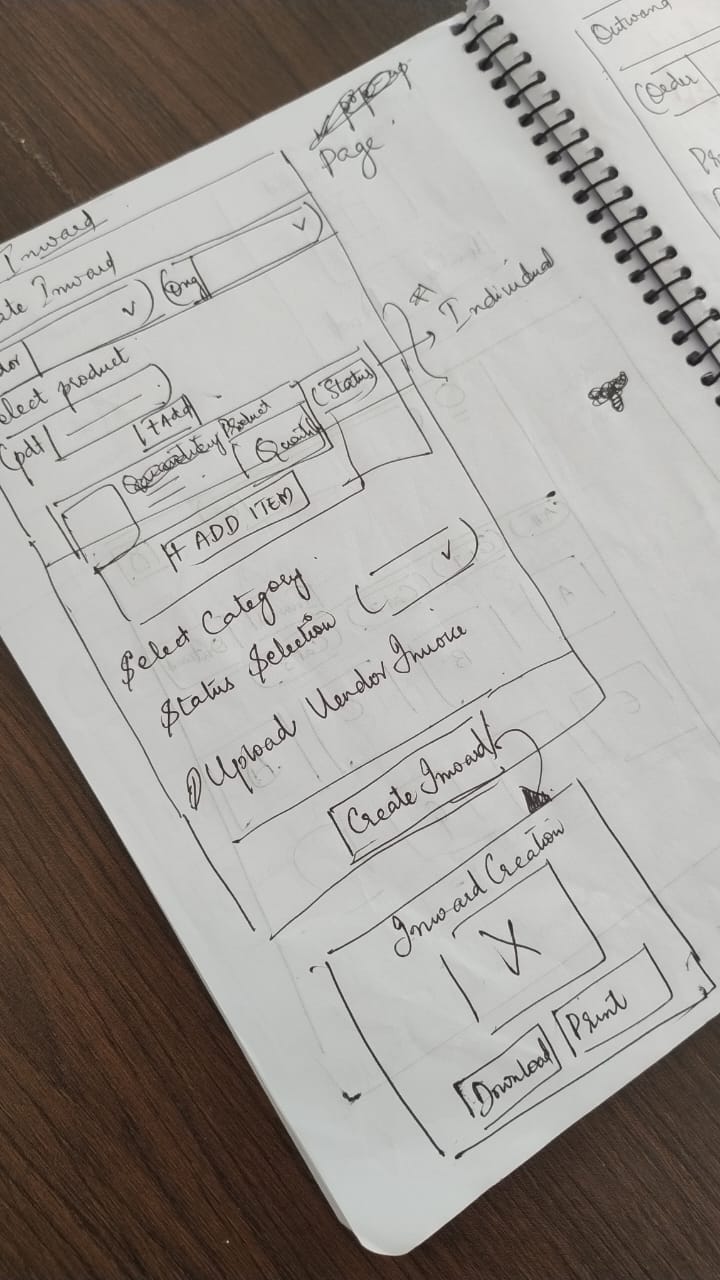
Paper Wireframes (Messy)
To ensure a cohesive experience across the Dealberg ecosystem, the Admin Panel was thoughtfully designed to align closely with the Vendor Panel, maintaining a consistent visual and functional language.
Through multiple rounds of ideation, wireframing, and design iteration, both panels now reflect a unified interface—simplifying onboarding, reducing cognitive load, and enhancing usability for all platform users.
Building Design System for DealBerg
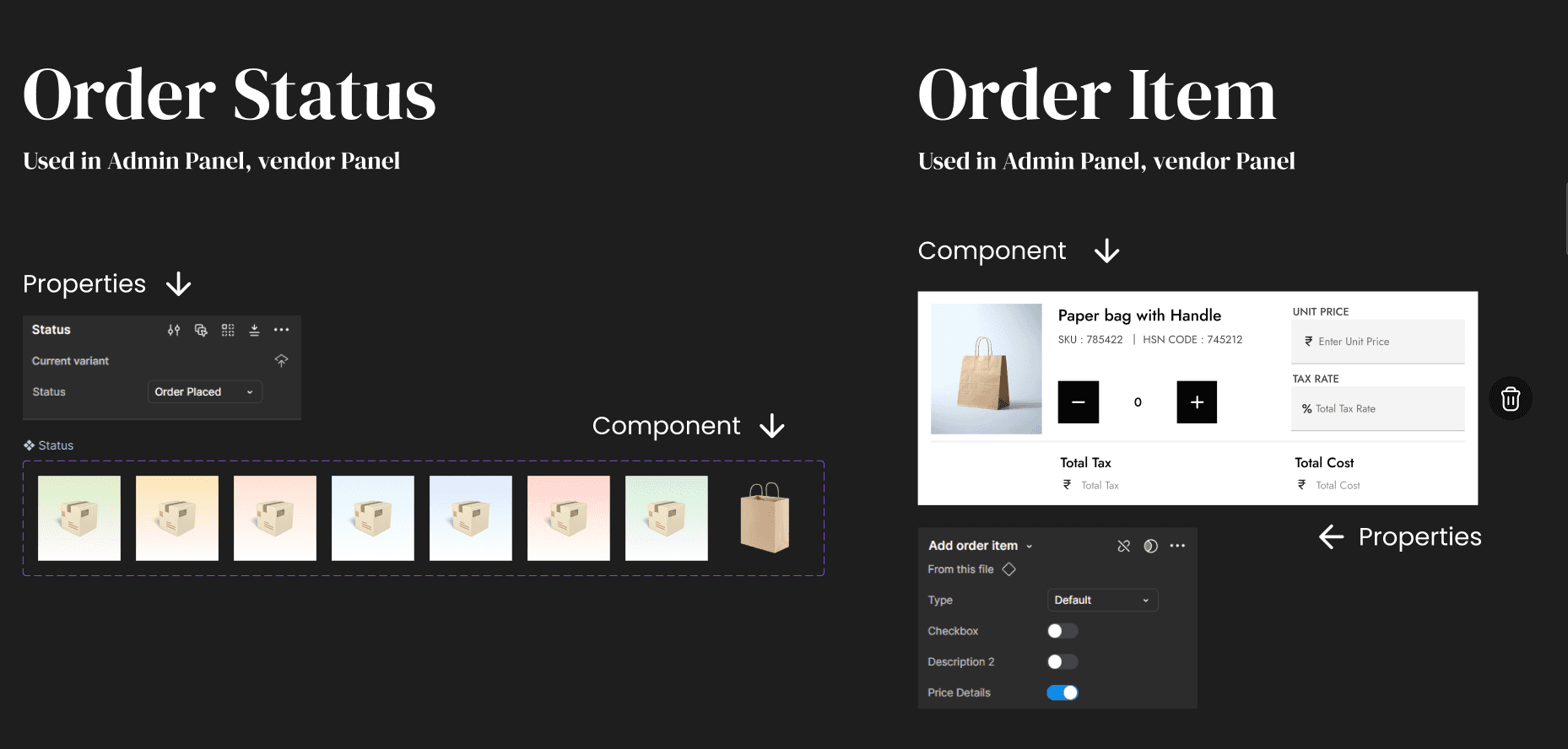
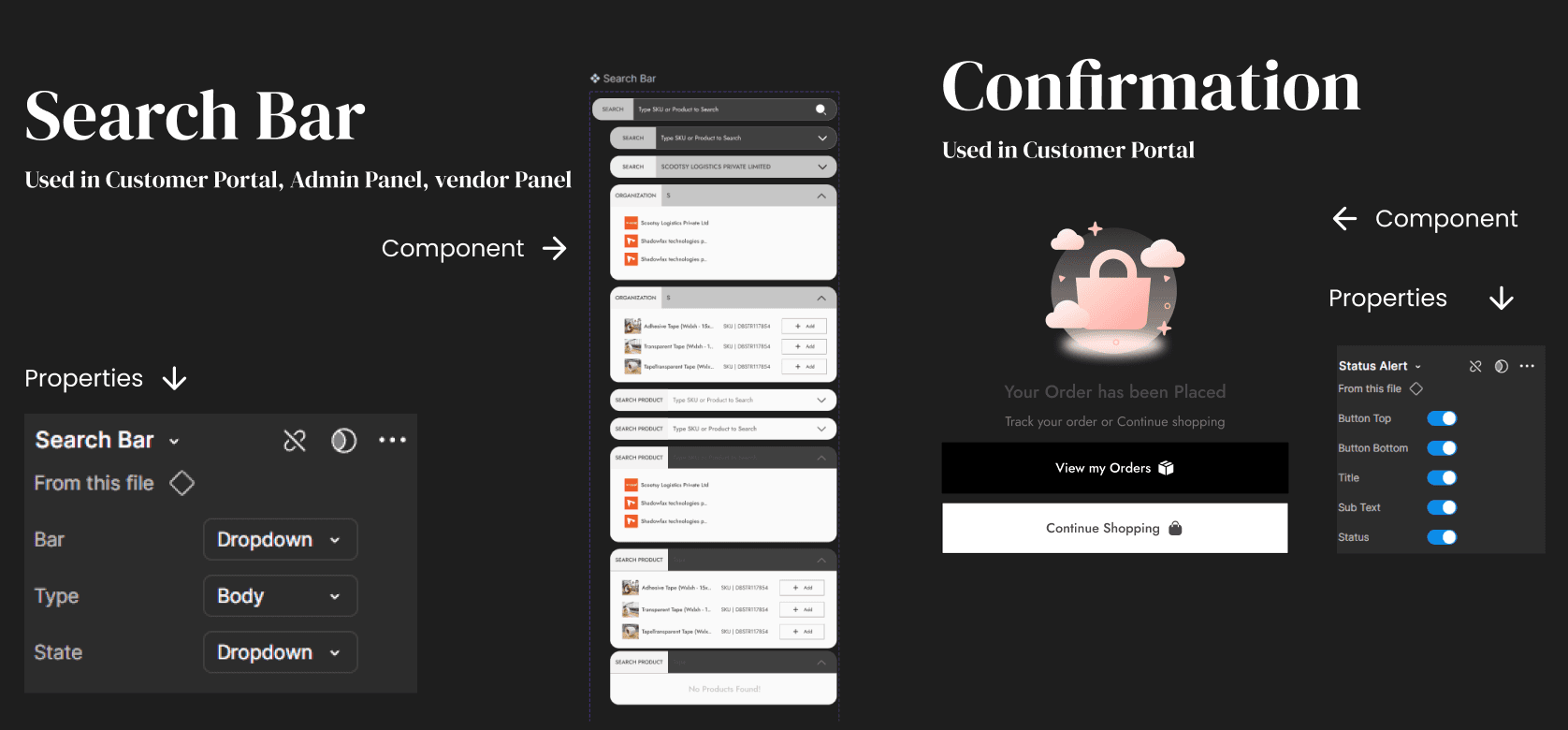
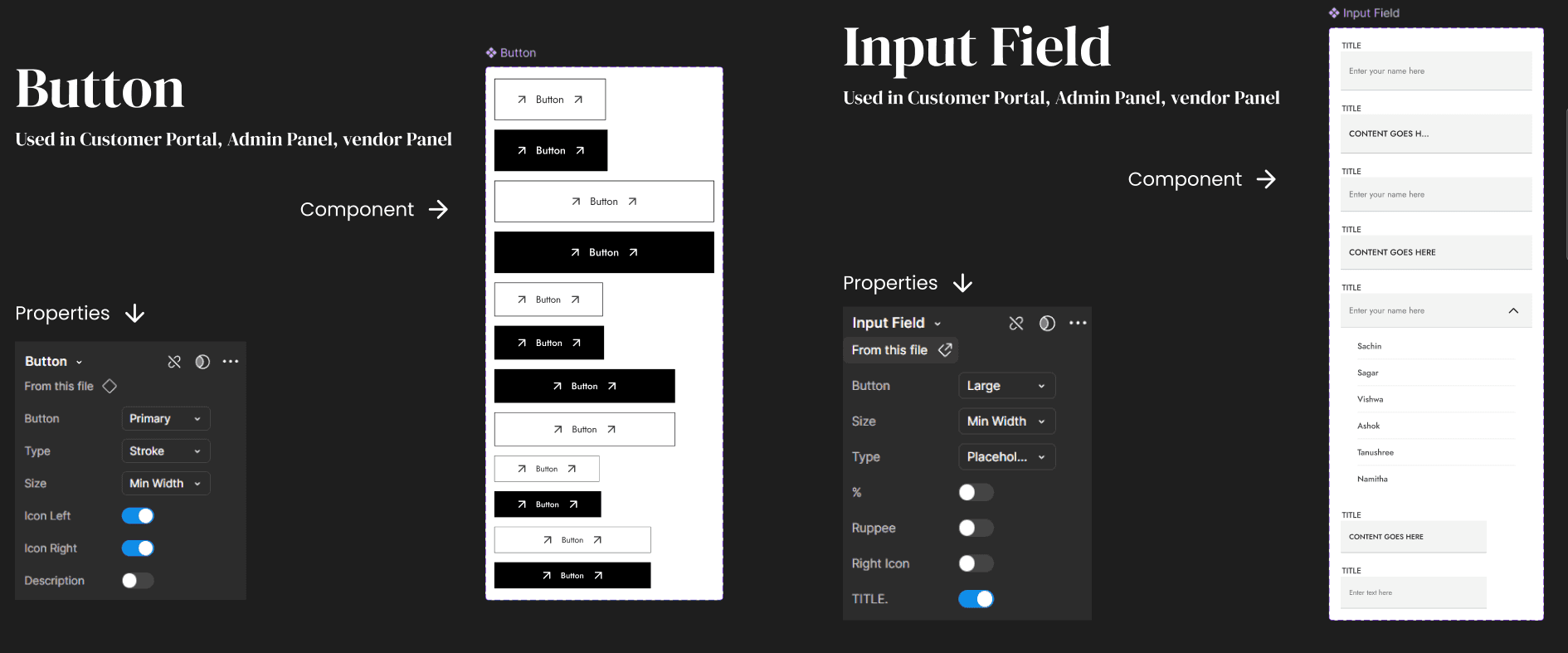
Component Library
Since the design system is built to ensure consistency across all platforms — Customer Portal, Vendor Panel, and Admin Panel — it includes a set of universal components shared across all three, as well as platform-specific components tailored to the unique needs of each interface, such as those specific to the Customer Portal.
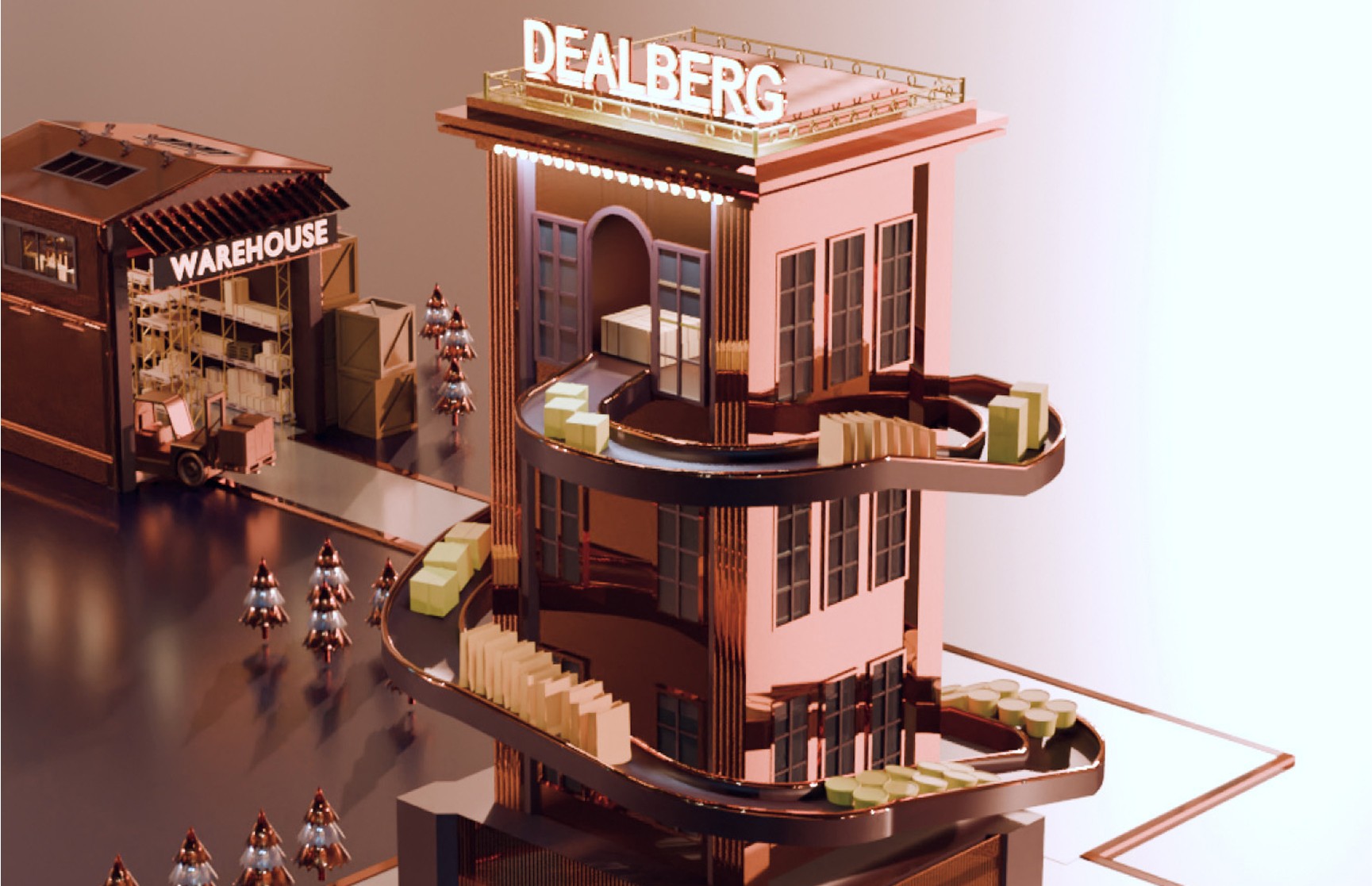
Building 3D Model to match the concept in Blender
Hi-fi Designs
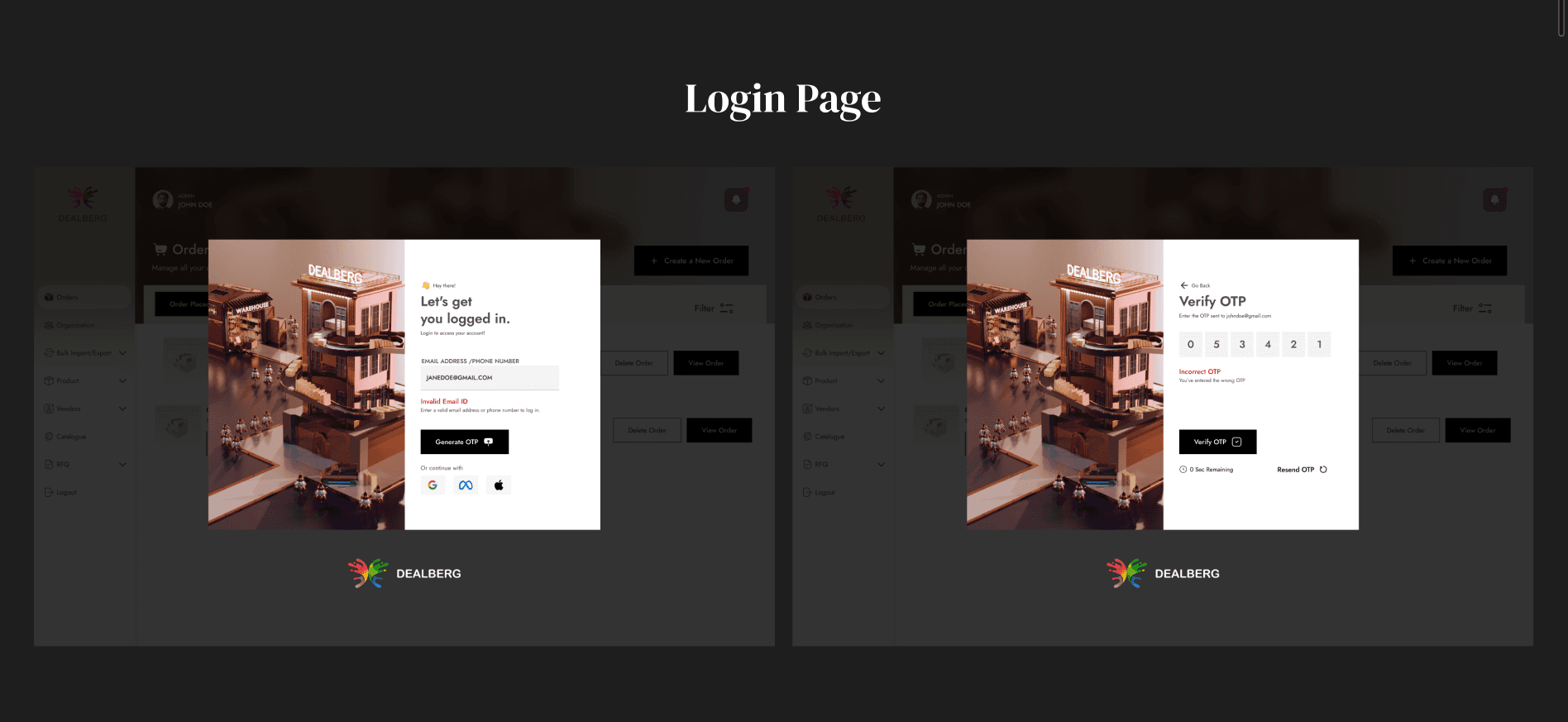
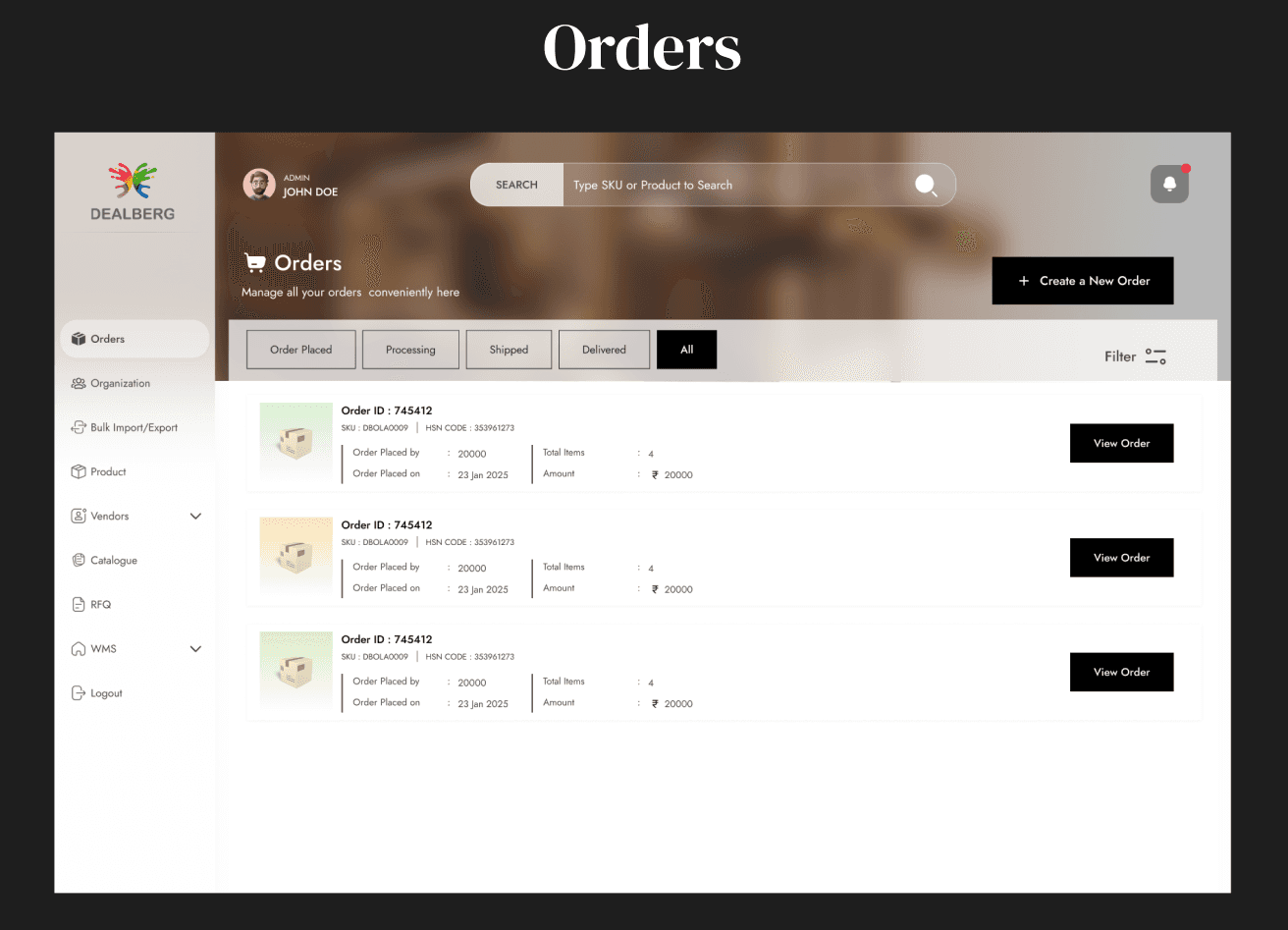
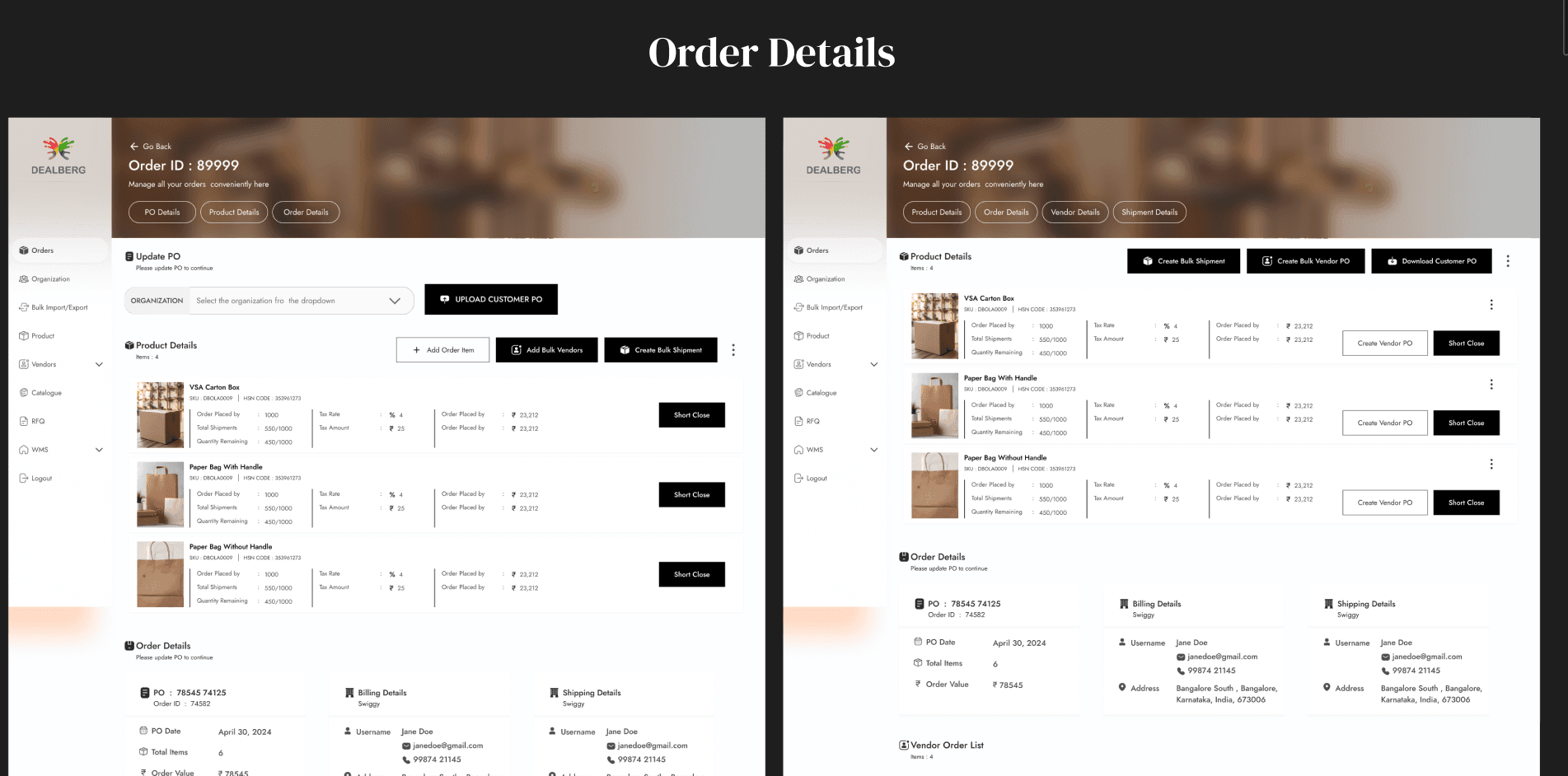
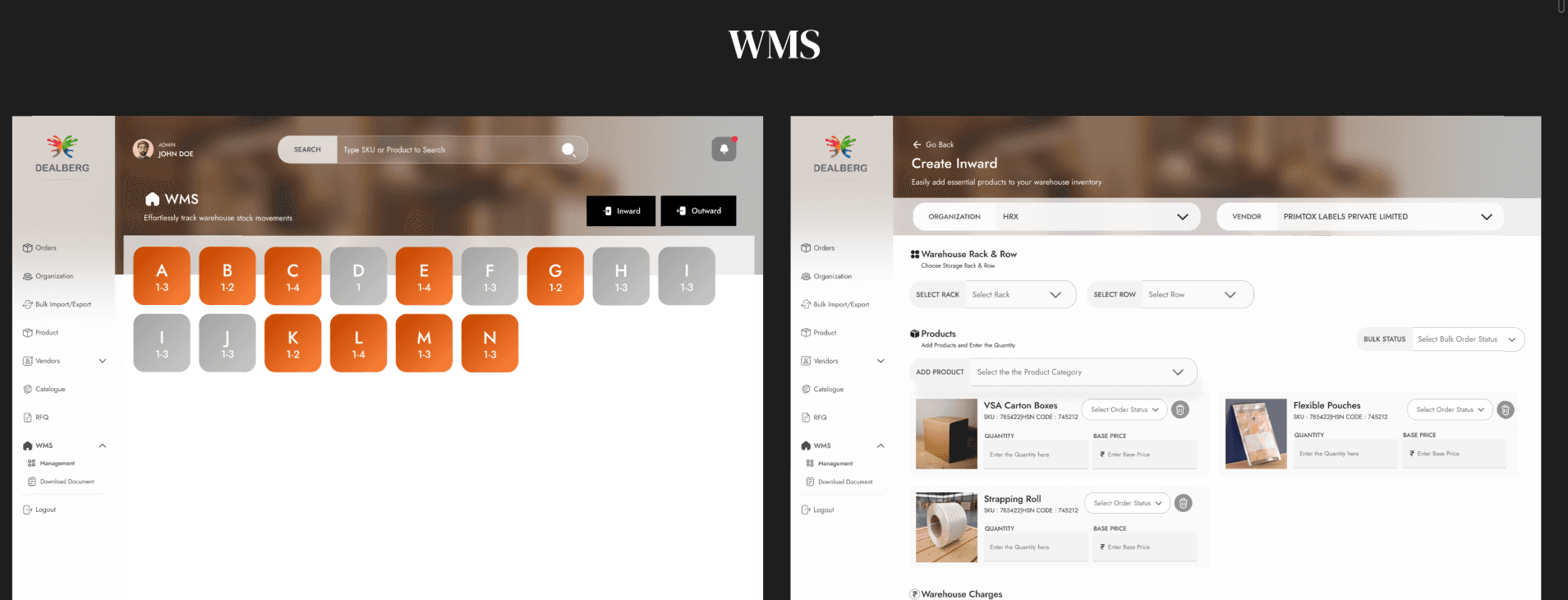
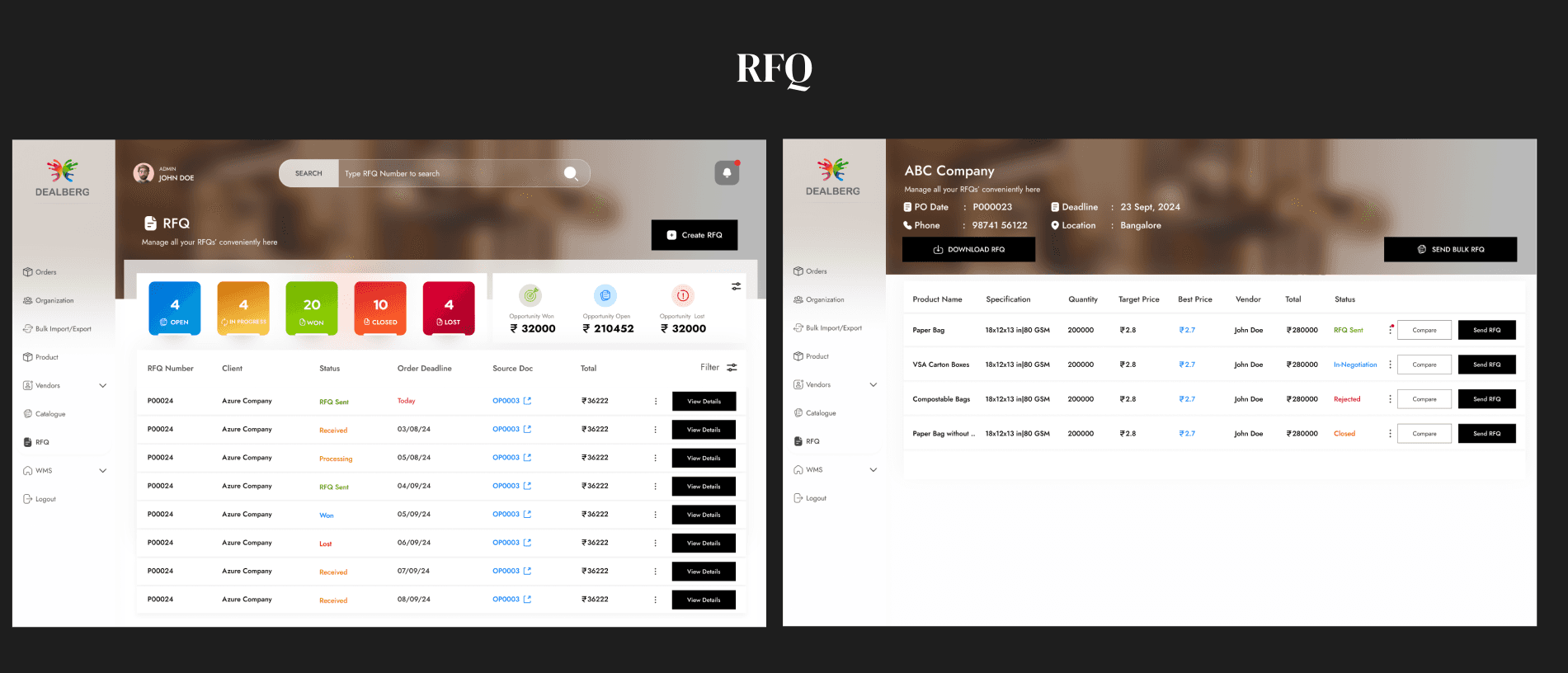
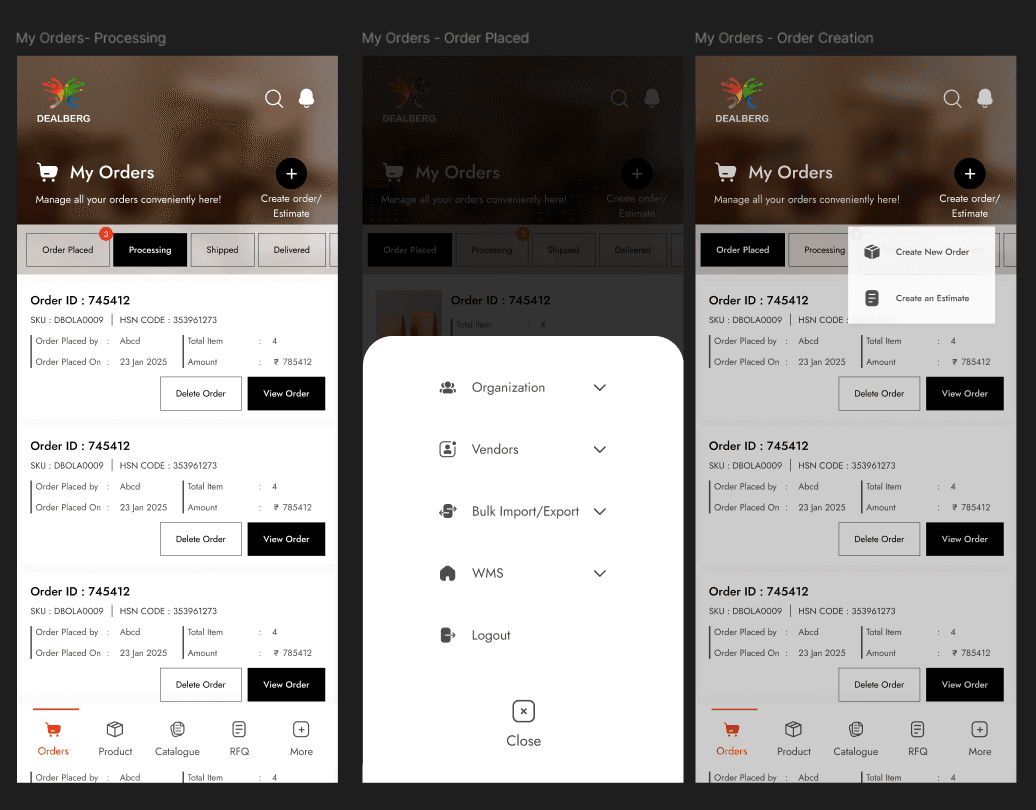
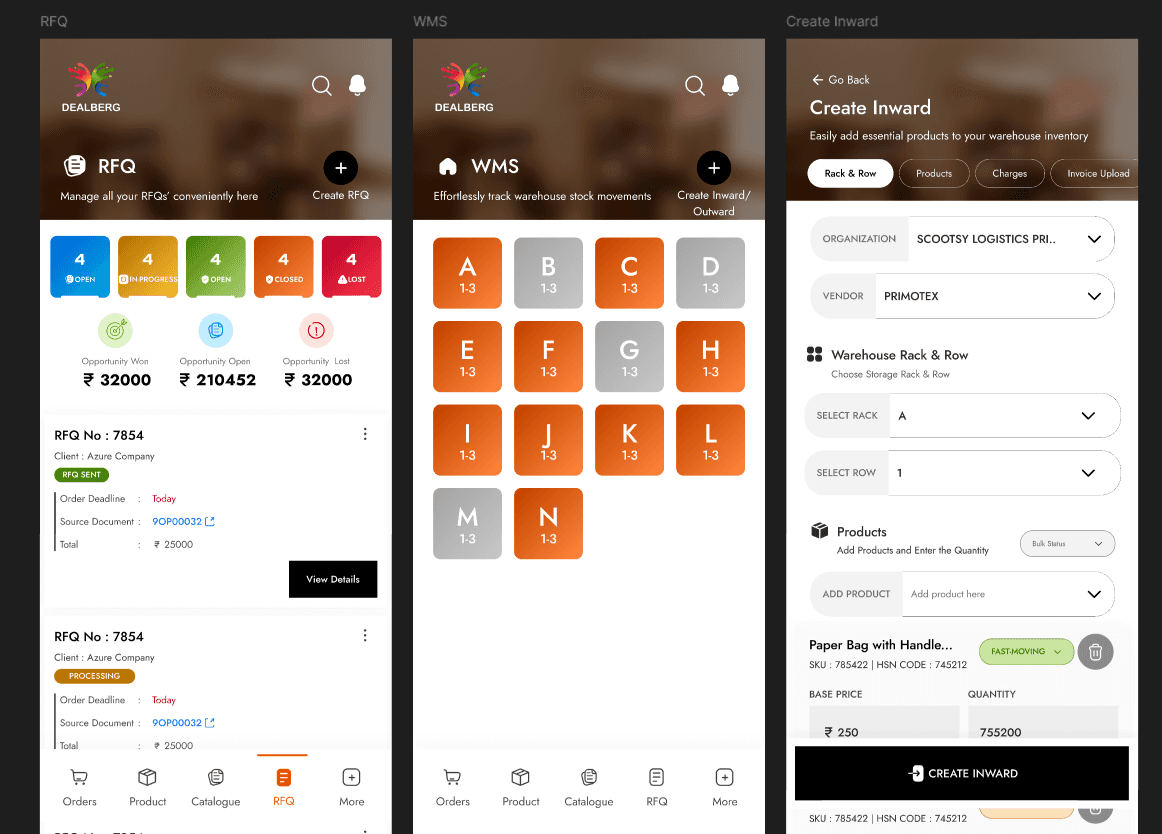
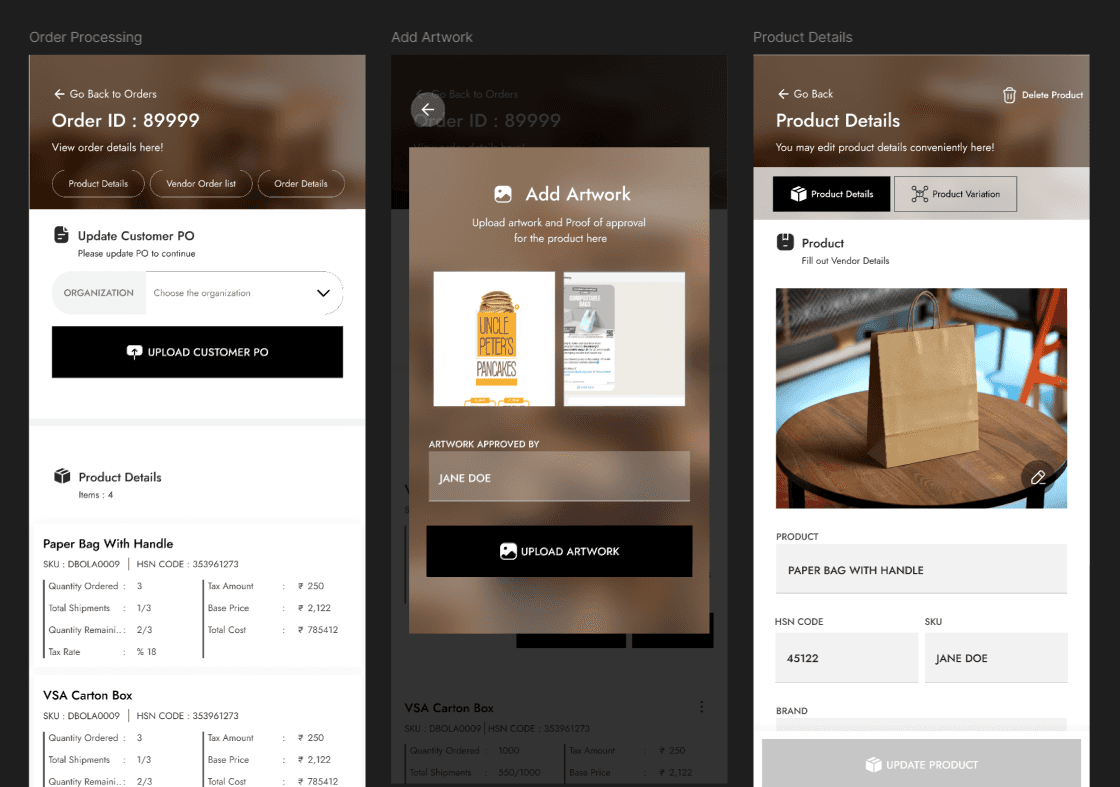
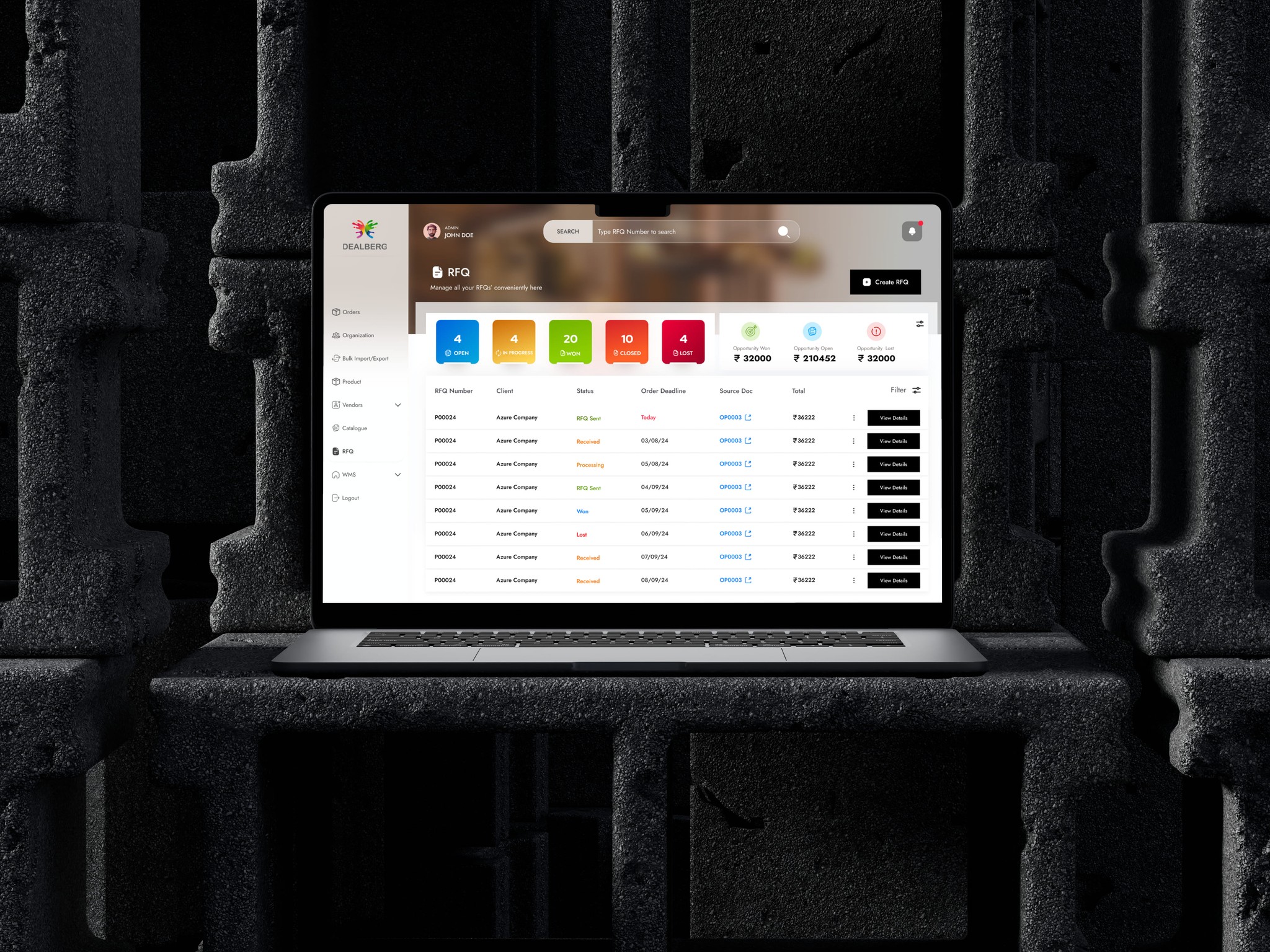
We’ve got a sneak peek of a few page designs from the Vendor Panel. While we can’t spill all the details (top secret stuff, you know 😉), these screens offer a glimpse into the direction we're heading—clean, consistent, and built with purpose.
App Screens
Streamlining Procurement with Precision
Another powerhouse in the Dealberg ecosystem is the Admin Panel—a robust interface designed for Account Managers, Warehouse Executives, and the broader operations team. It’s where all the behind-the-scenes magic happens to ensure every order flows smoothly from customer to vendor and back again.
How it Works:
Every transaction—from customer to vendor and back—is routed through the Admin Panel to maintain accurate records and ensure smooth operations. In cases where a product request doesn’t match any existing vendors, the procurement team steps in to identify and onboard new vendors across India or specific regions, transferring requirements to them via the Vendor Panel. For large-scale orders, Account Managers use the panel to manually input and manage the request, overseeing everything from production to delivery. Recurring orders often flow through Dealberg’s own warehouses, where products are accepted via an inward warehouse process, stored, and later dispatched to clients using the integrated warehouse management system. The panel also includes features like RFQs for price comparison, vendor management tools, and much more. While the user flows are quite complex—spanning multiple journey maps, roles, and scenarios—further details remain confidential due to the sensitive nature of internal processes.
Paper Wireframes
To ensure a cohesive experience across the Dealberg ecosystem, the Admin Panel was thoughtfully designed to align closely with the Vendor Panel, maintaining a consistent visual and functional language.
Through multiple rounds of ideation, wireframing, and design iteration, both panels now reflect a unified interface—simplifying onboarding, reducing cognitive load, and enhancing usability for all platform users.
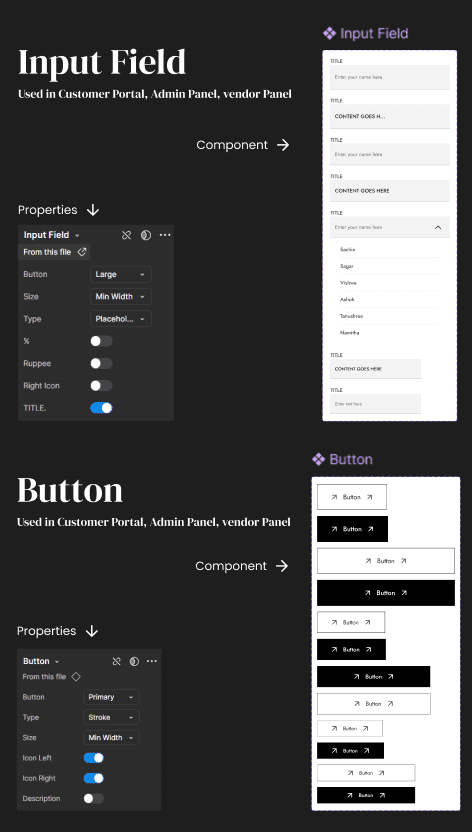
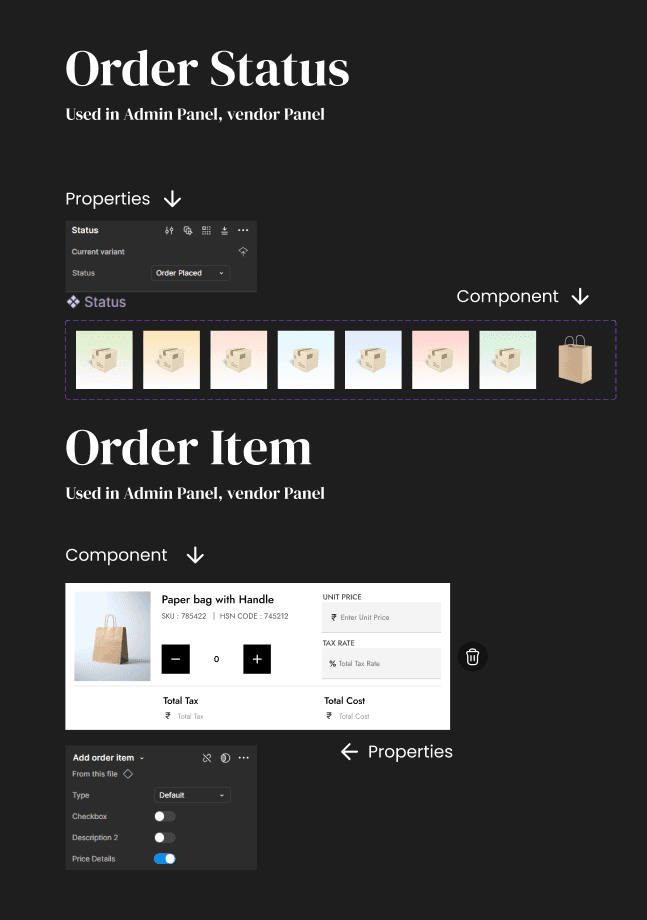
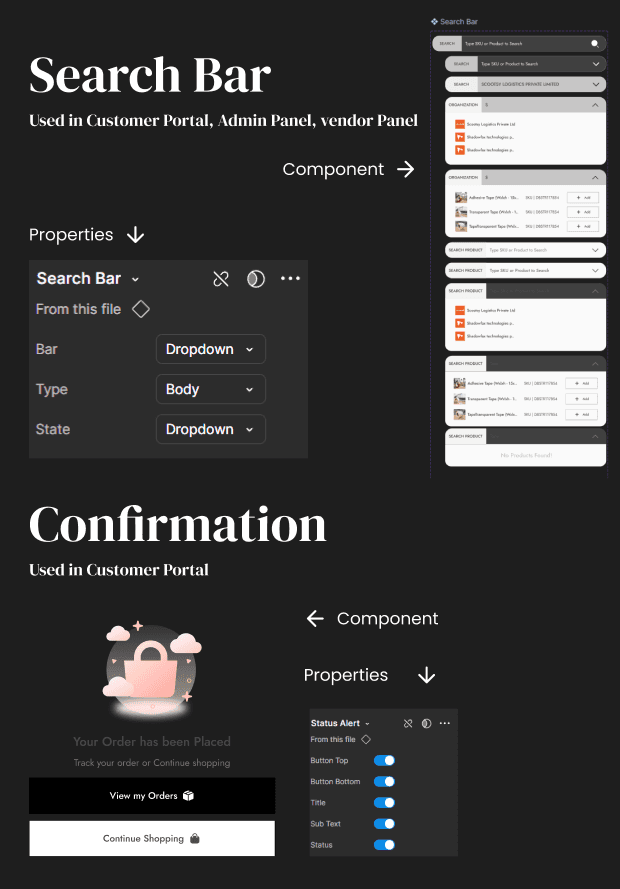
Component Library
Since the design system is built to ensure consistency across all platforms — Customer Portal, Vendor Panel, and Admin Panel — it includes a set of universal components shared across all three, as well as platform-specific components tailored to the unique needs of each interface, such as those specific to the Customer Portal.
Building 3D Model to match the concept in Blender



App Screens

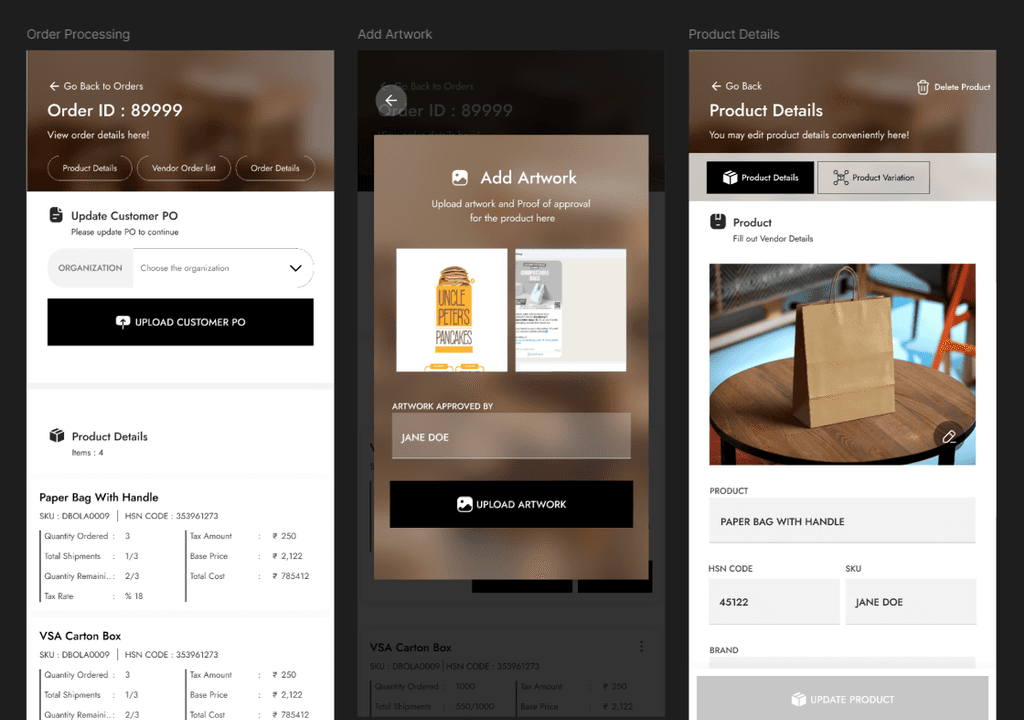
Hi-fi Designs
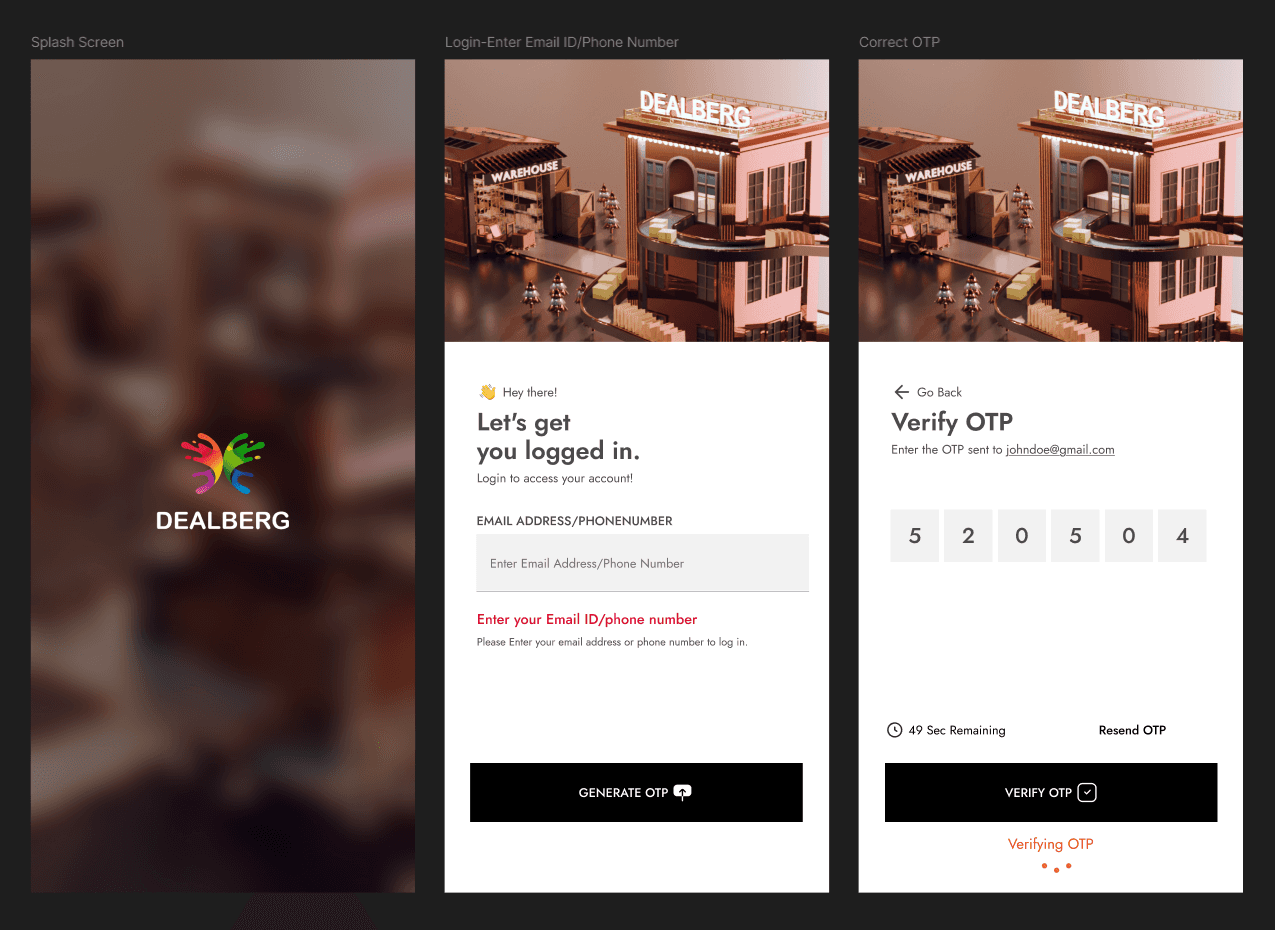
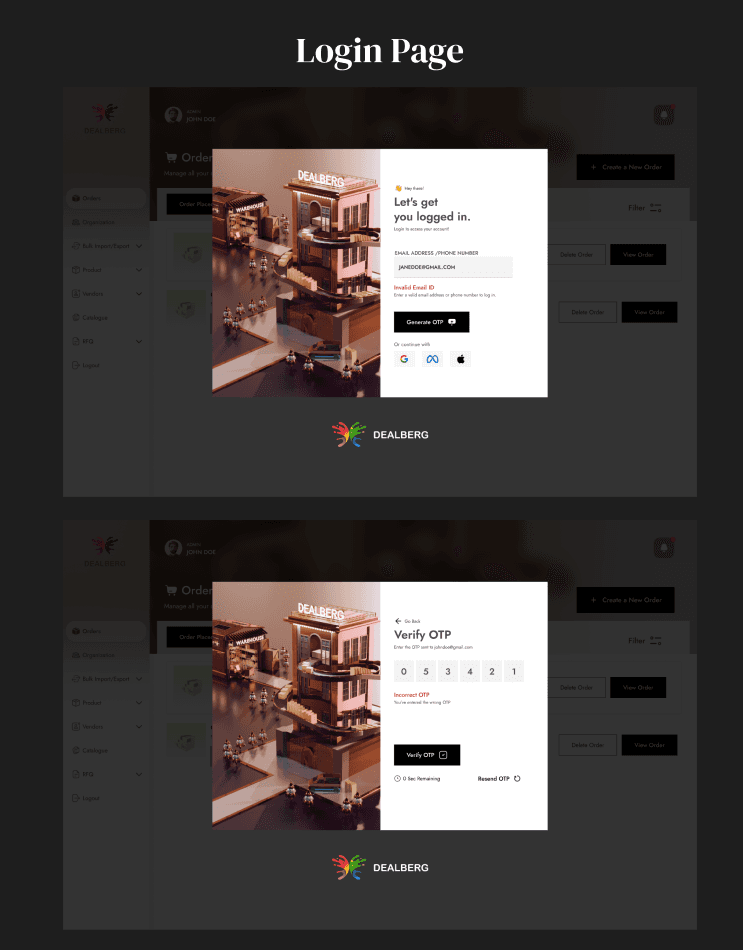
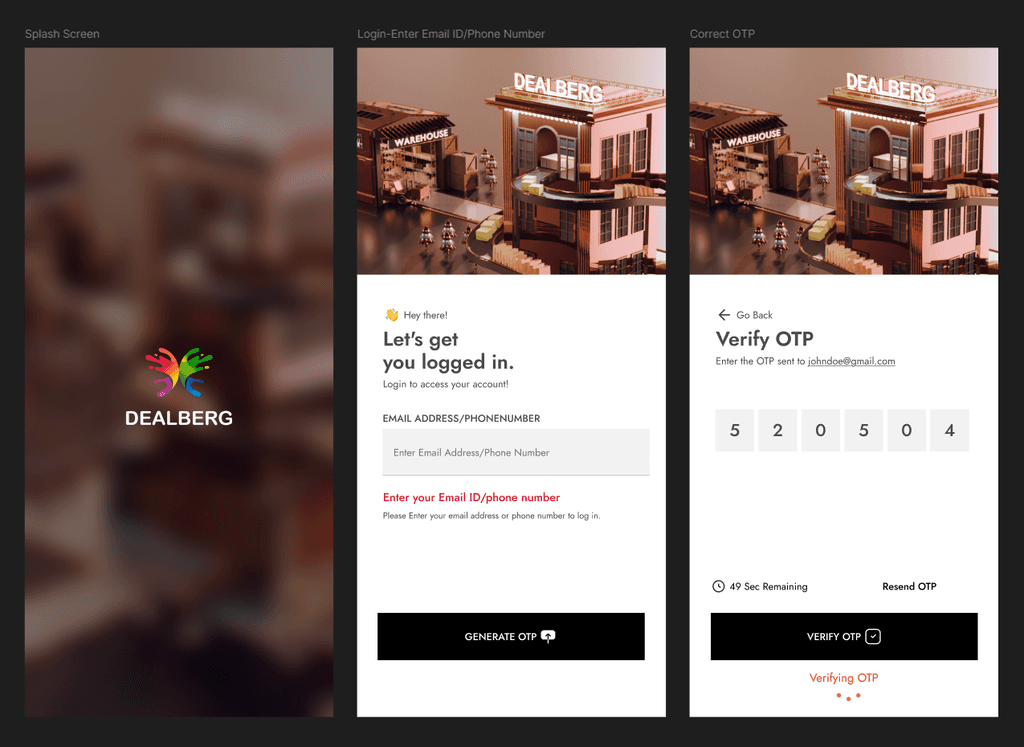
We’ve got a sneak peek of a few page designs from the Admin Panel. While we can’t spill all the details (top secret stuff, you know 😉), these screens offer a glimpse into the direction we're heading—clean, consistent, and built with purpose.