
The DealBerg Gateway for Vendors
As a procurement platform operating at the intersection of customer demand and supplier capabilities, Dealberg streamlines the supply chain by providing a dedicated space for vendors: the Vendor Panel.
This panel is designed to empower vendors with the right tools to manage and fulfill customer orders efficiently, based on specific requirements like product type, quantity, production capacity, delivery timelines, and geographic feasibility.
How it Works:
The Vendor Panel is designed to help vendors manage the complete order lifecycle—from receiving customer orders to final delivery. Each order received through the platform is tailored to your capacity, location, and product offerings.
Once a customer places an order through the Customer Portal, it is routed to the appropriate vendor(s) via the panel based on key parameters like product type, quantity, capacity, location, and lead time. Vendors can view, accept, and process these orders in just a few clicks.
Depending on the order type - One-time or Recurring - vendors can plan production and resource allocation accordingly. The platform also supports customer-requested excess quantity additions, giving vendors the flexibility to accommodate changing needs, especially for recurring supply.
Business & Project Overview
Paper Wireframes
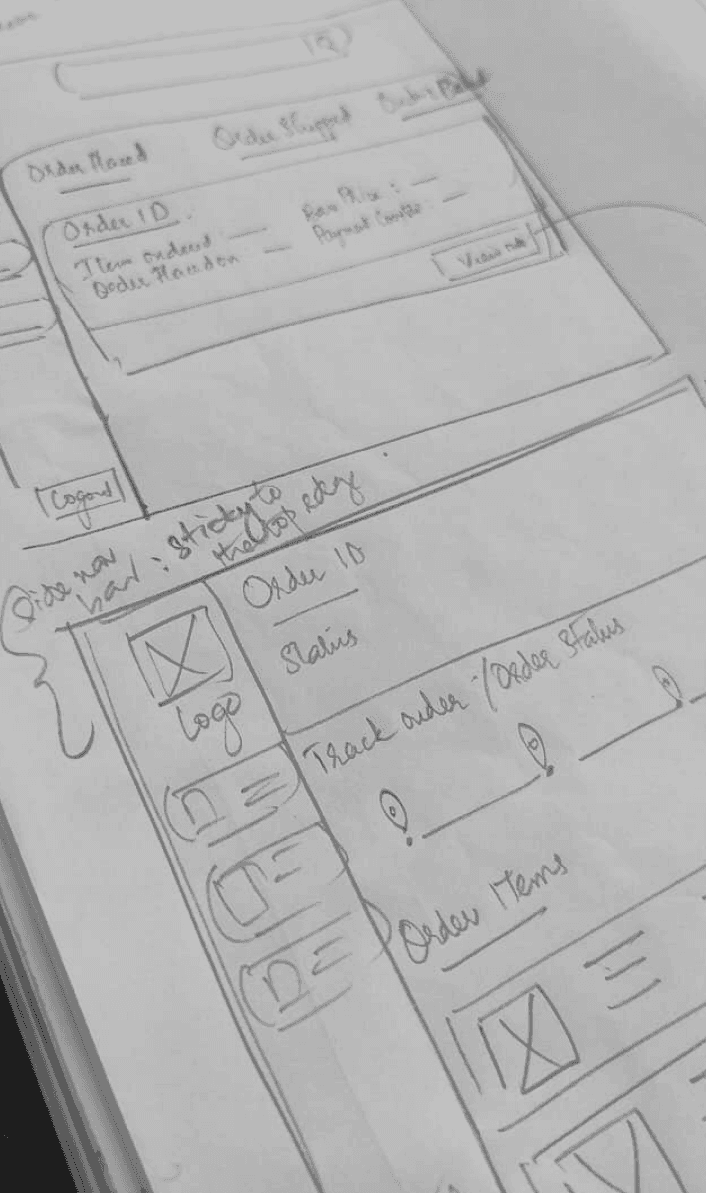
To ensure a cohesive experience across the Dealberg ecosystem, the Vendor Panel was thoughtfully designed to align closely with the Admin Panel, maintaining a consistent visual and functional language.
Through multiple rounds of ideation, wireframing, and design iteration, both panels now reflect a unified interface—simplifying onboarding, reducing cognitive load, and enhancing usability for all platform users.
Building Design System for DealBerg
Component Library
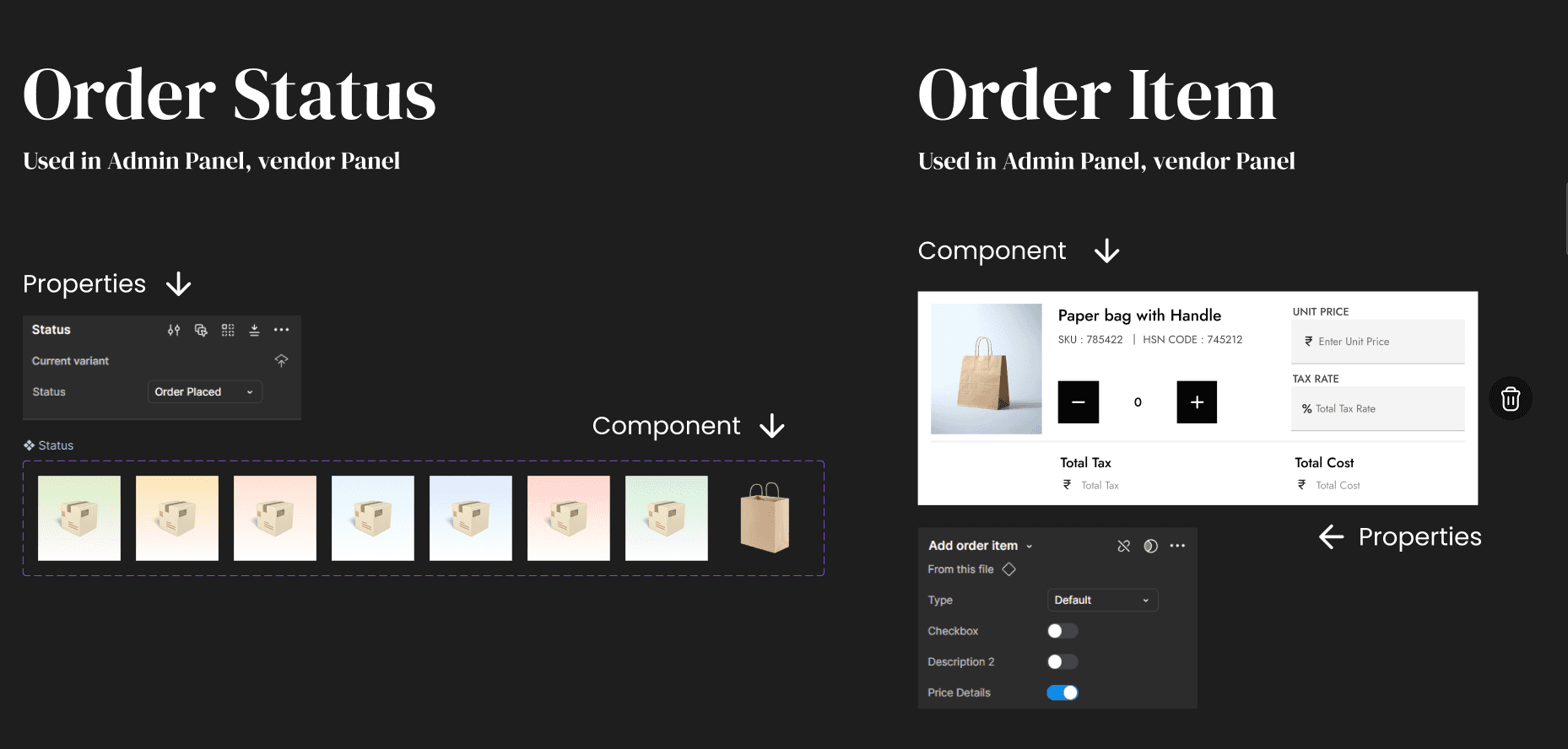
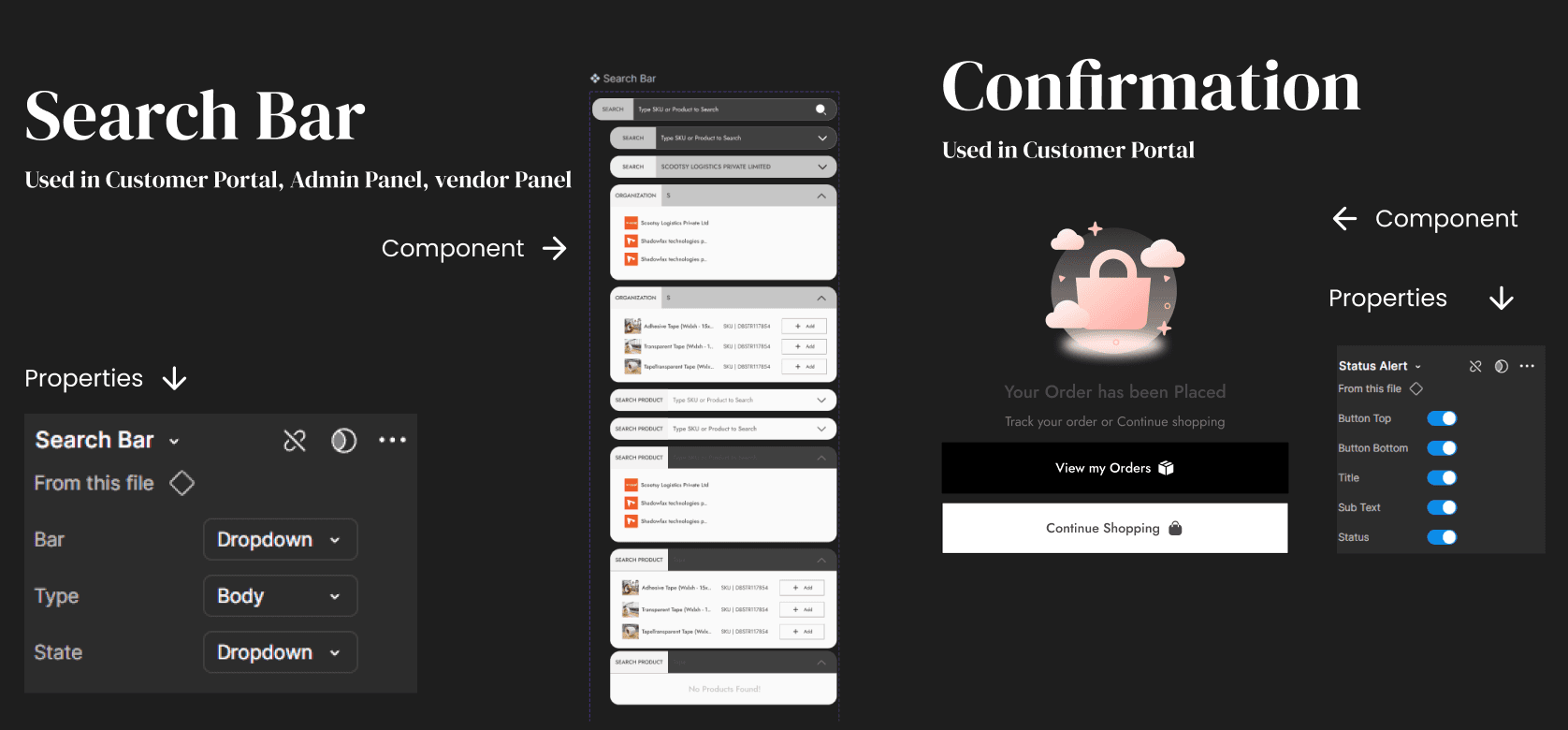
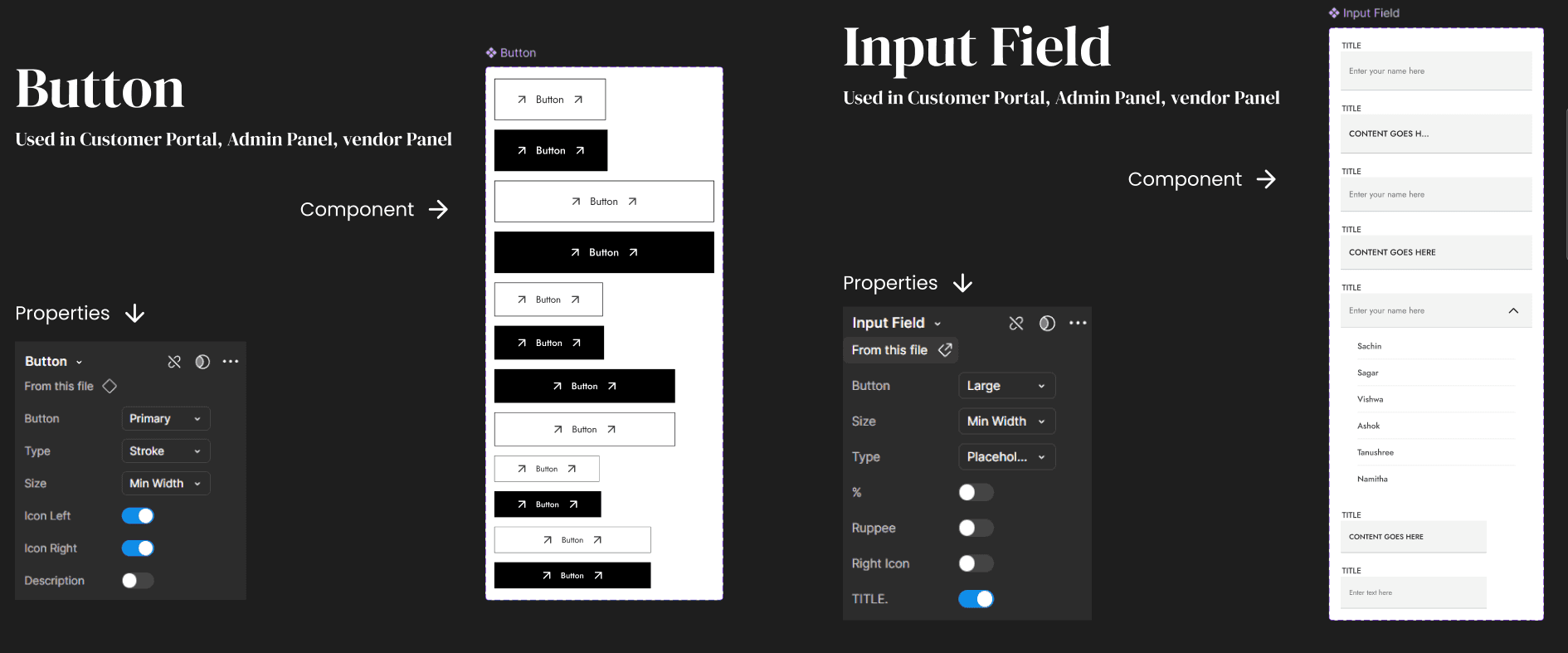
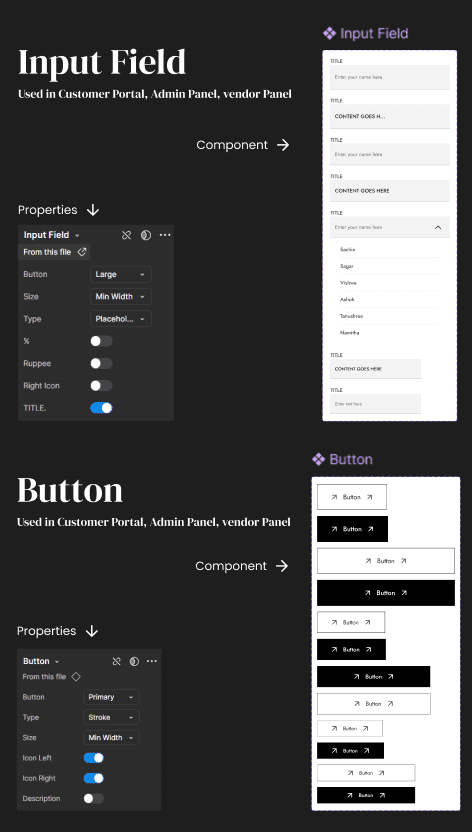
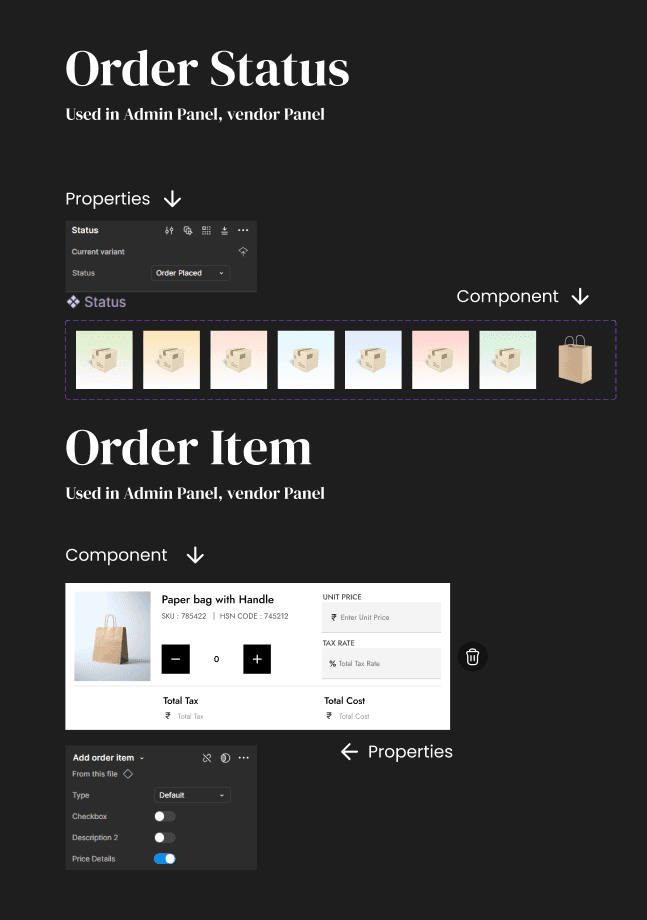
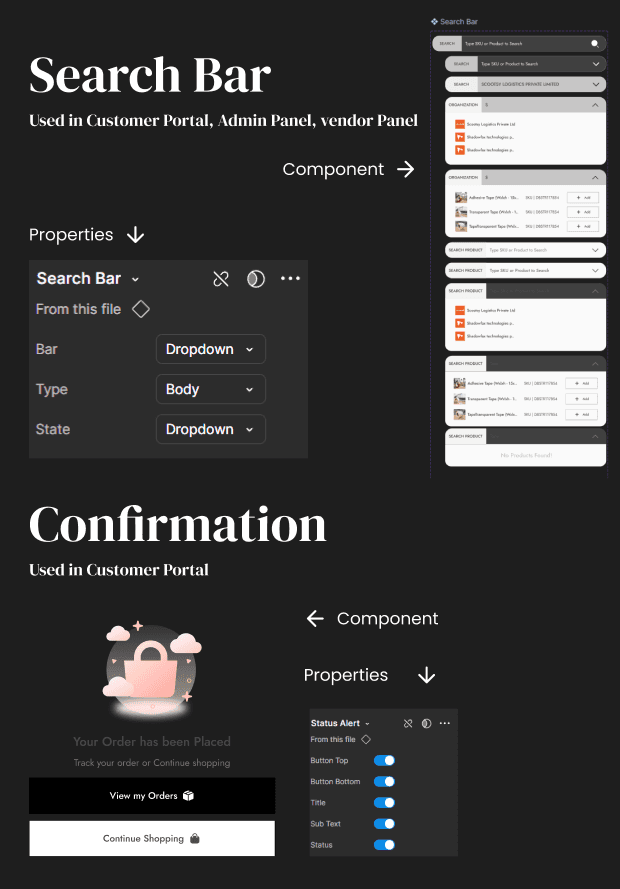
Since the design system is built to ensure consistency across all platforms — Customer Portal, Vendor Panel, and Admin Panel — it includes a set of universal components shared across all three, as well as platform-specific components tailored to the unique needs of each interface, such as those specific to the Customer Portal.
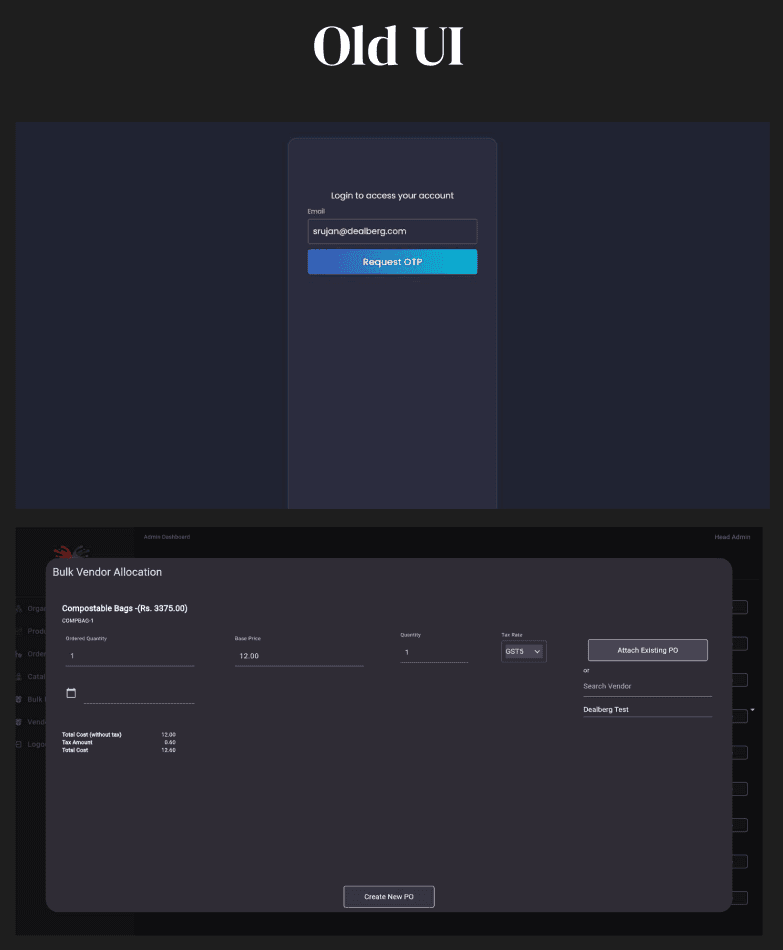
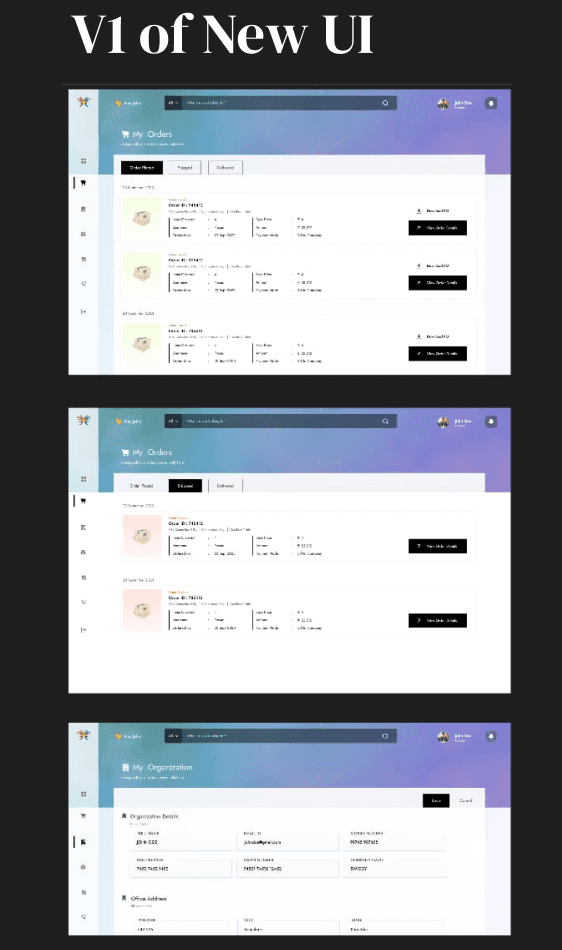
Redesign
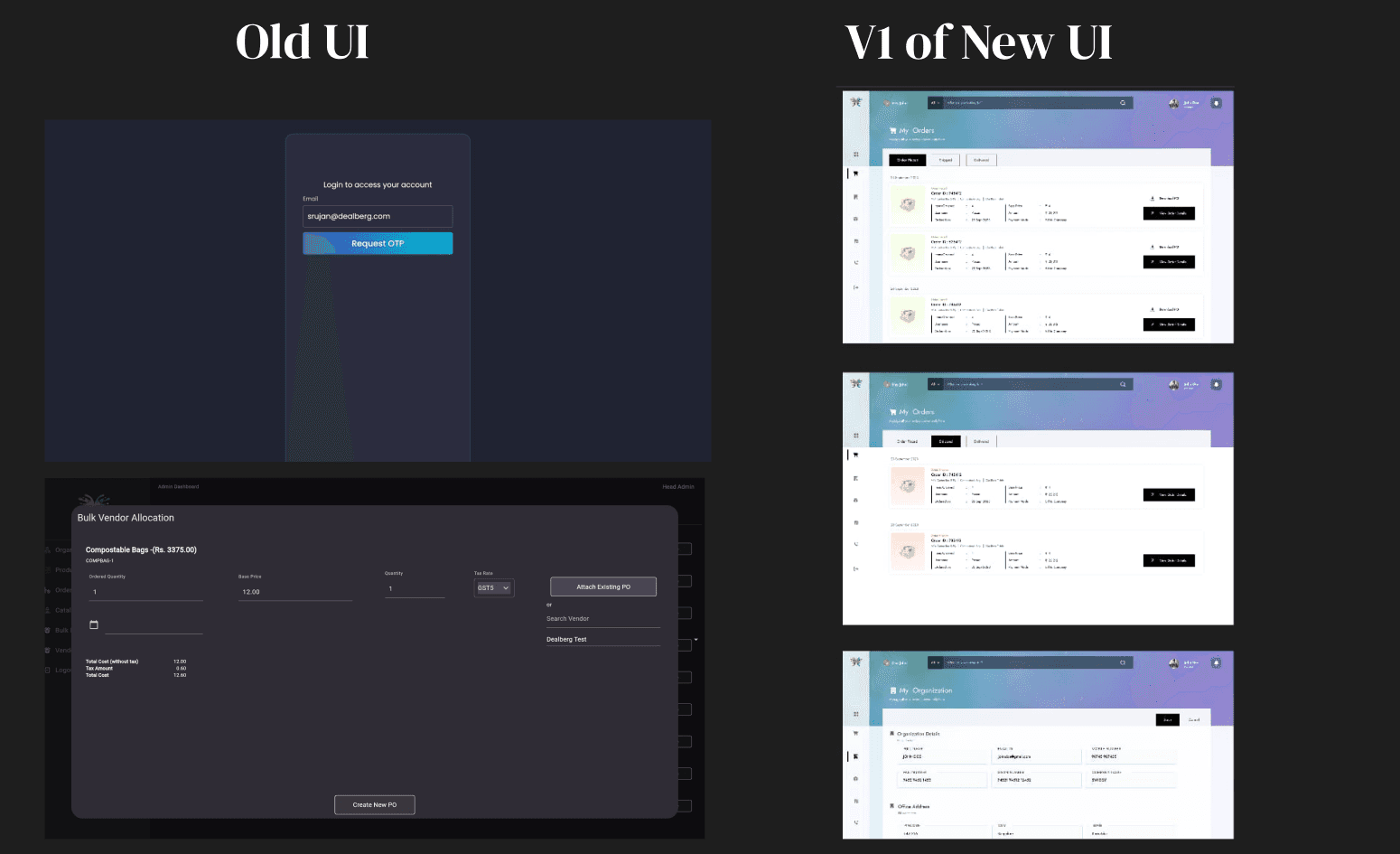
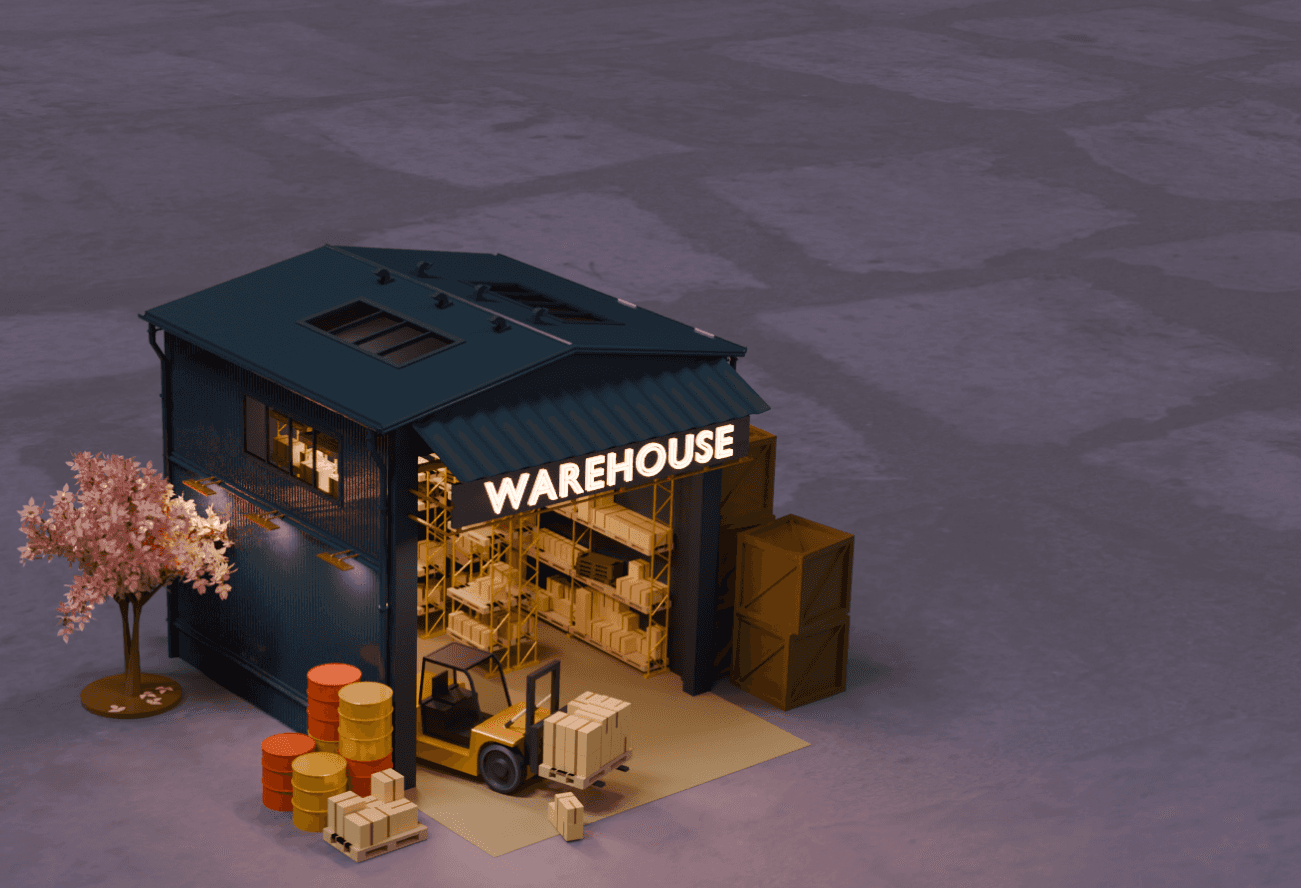
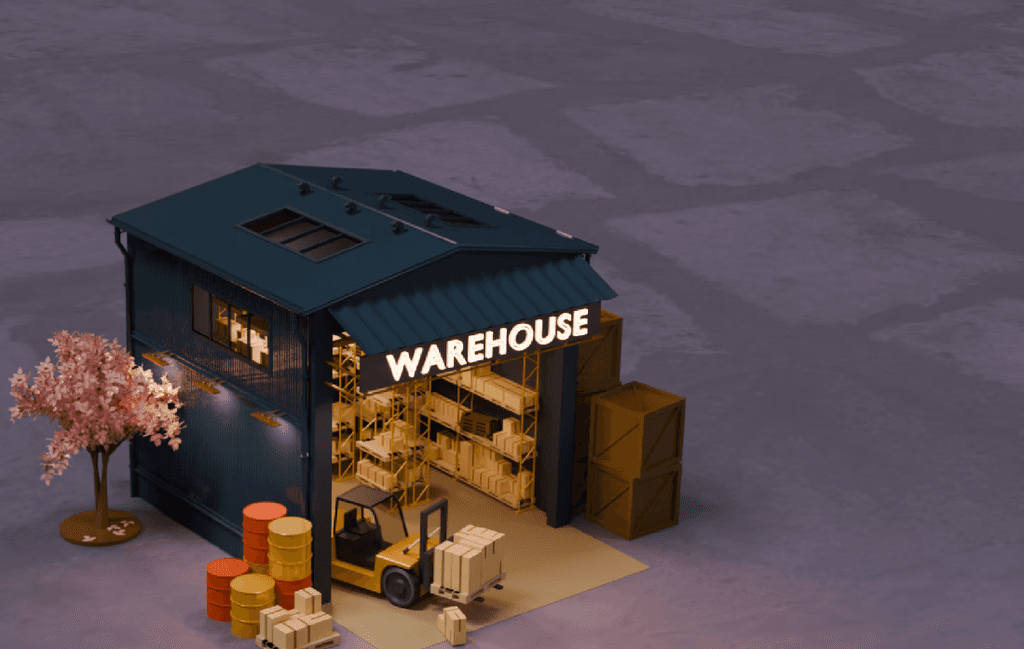
Building 3D Model to match the concept in Blender
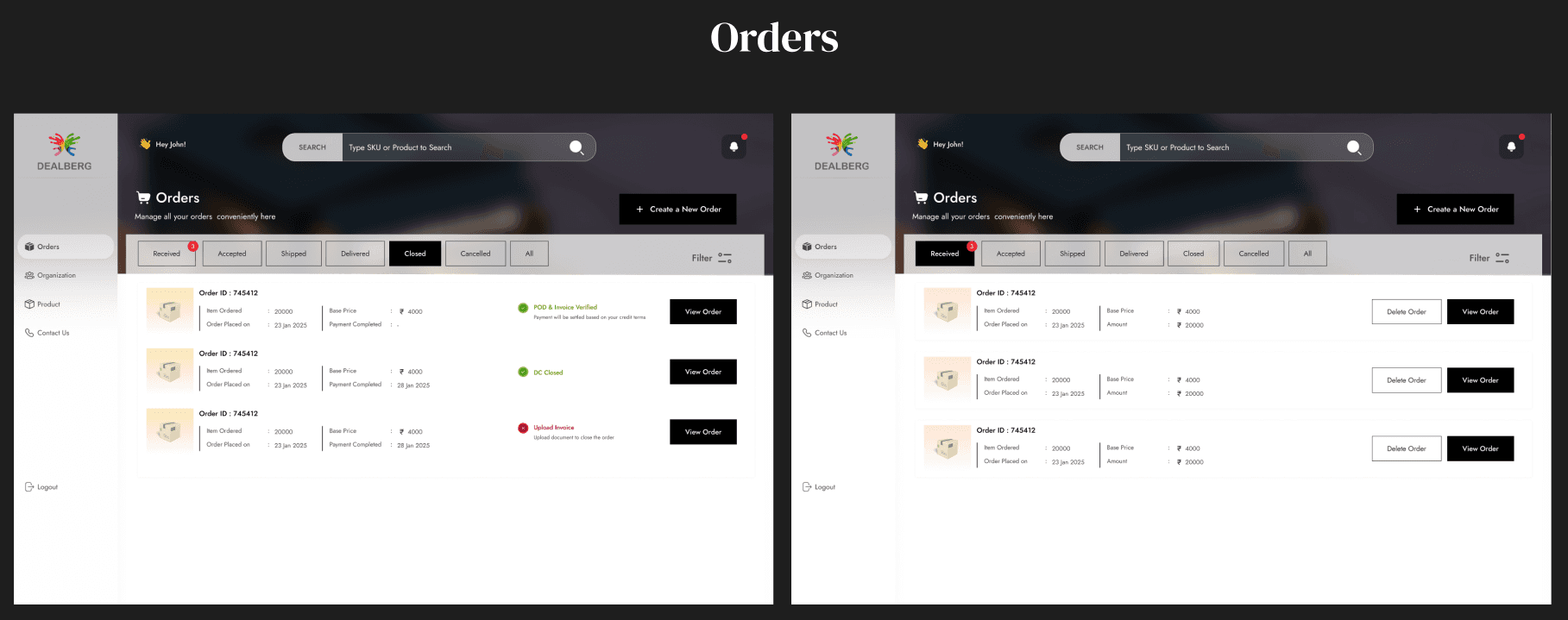
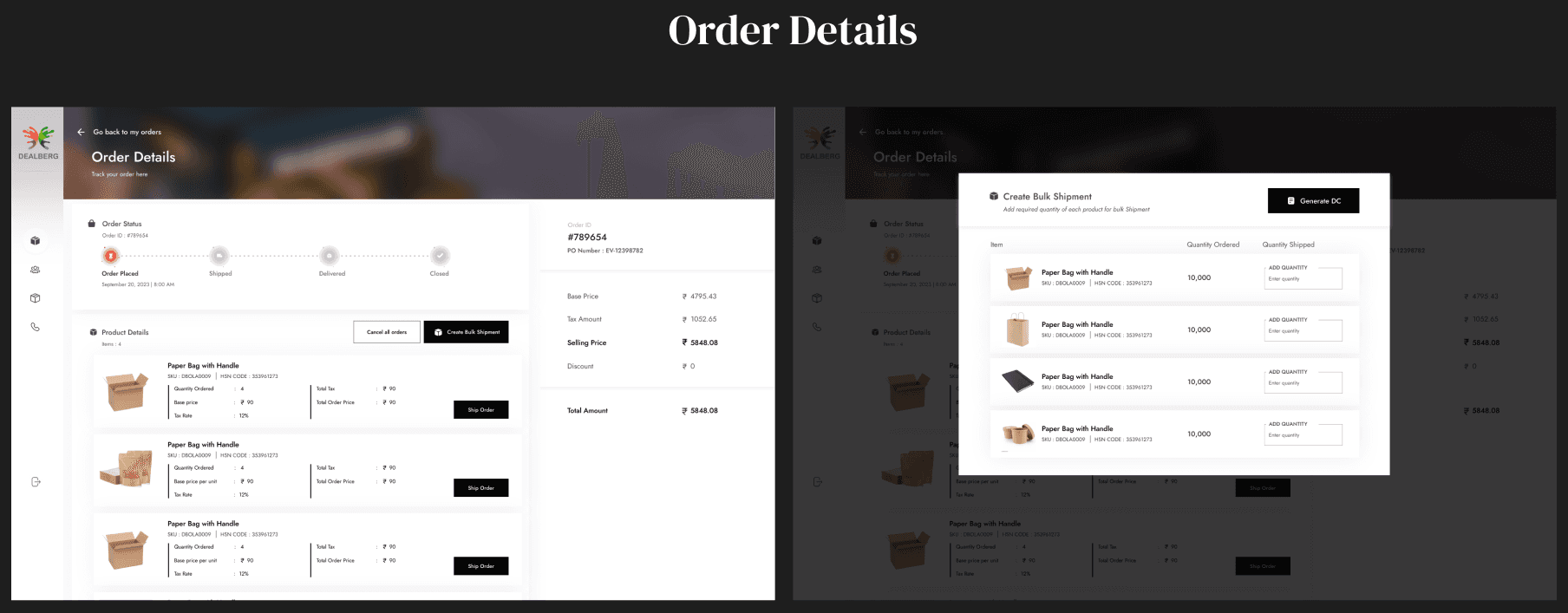
Hi-fi Designs
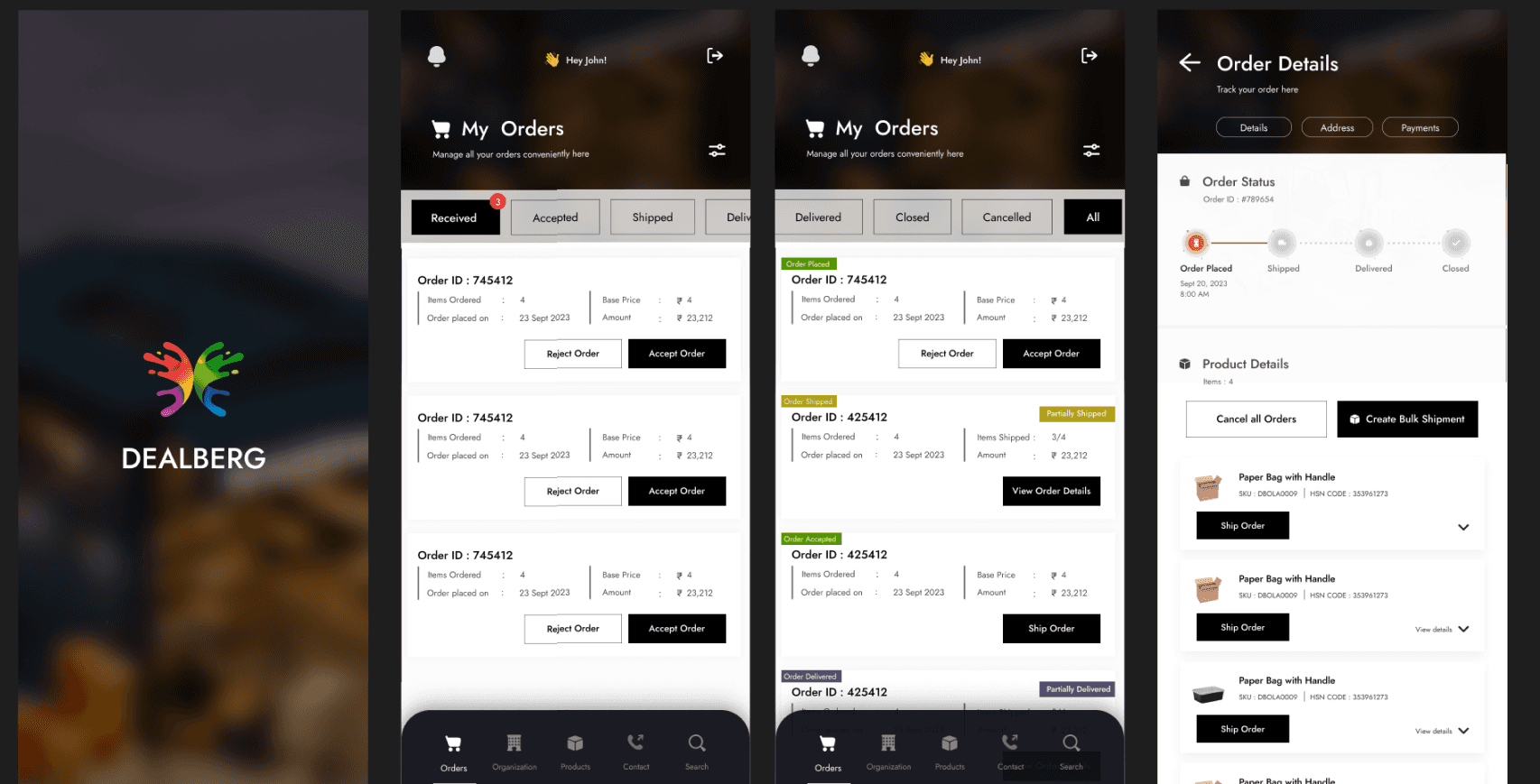
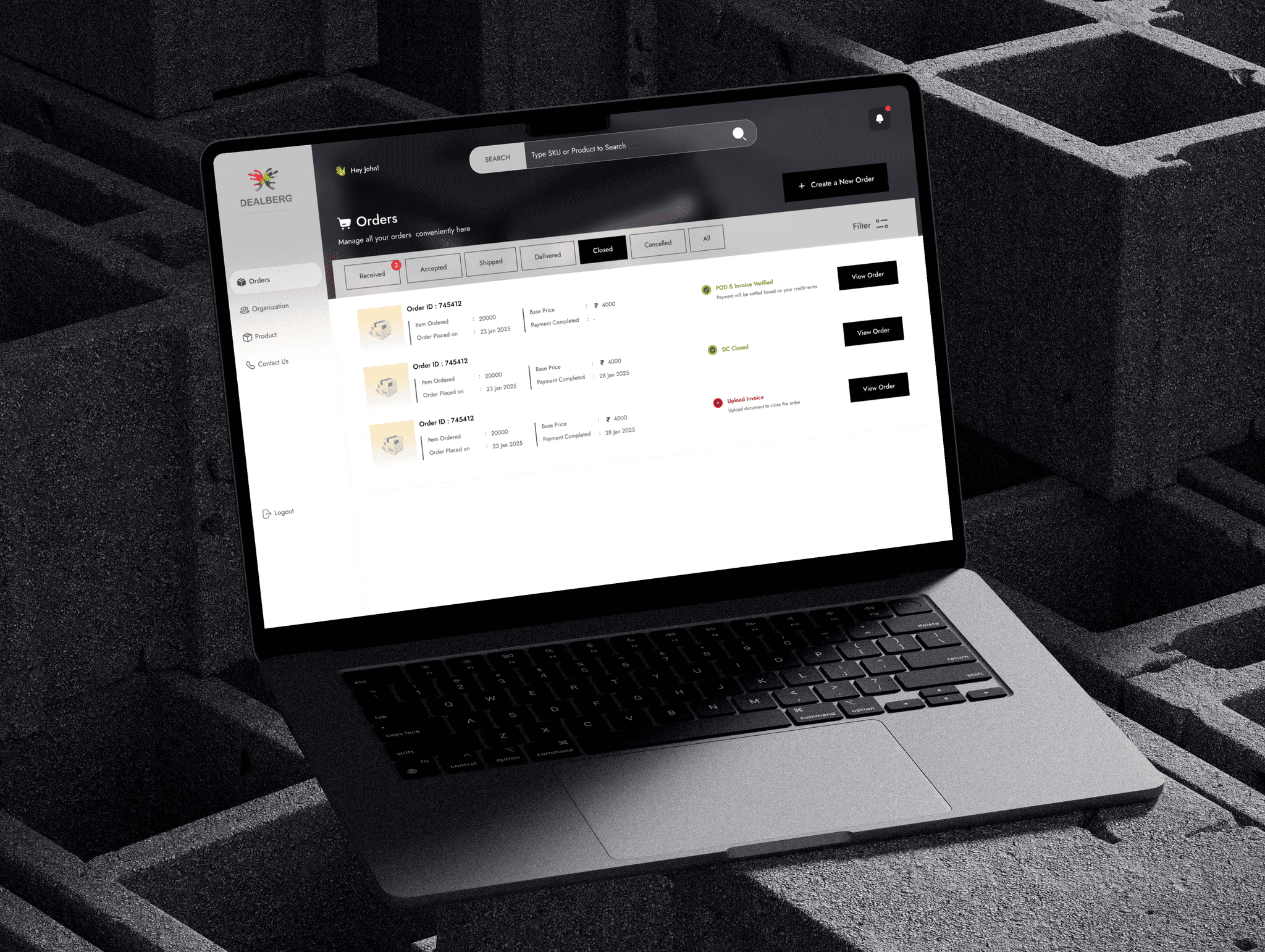
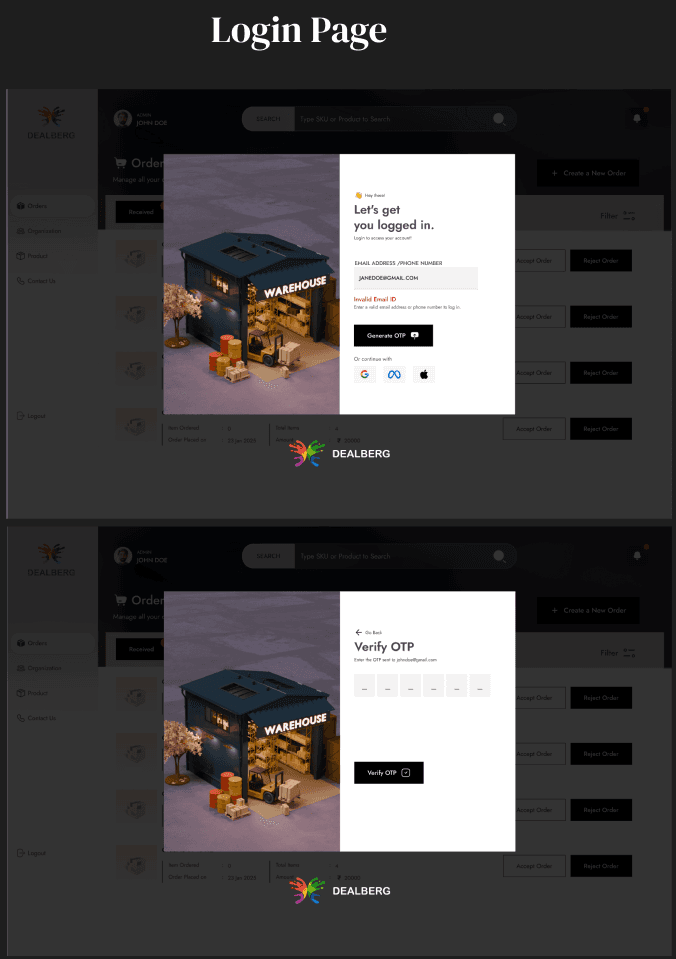
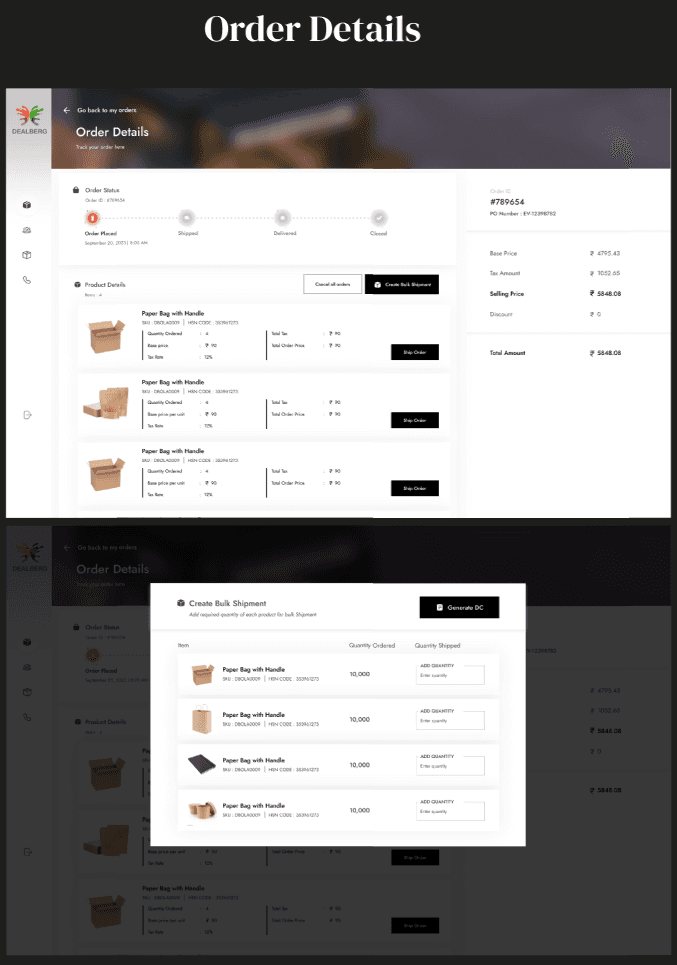
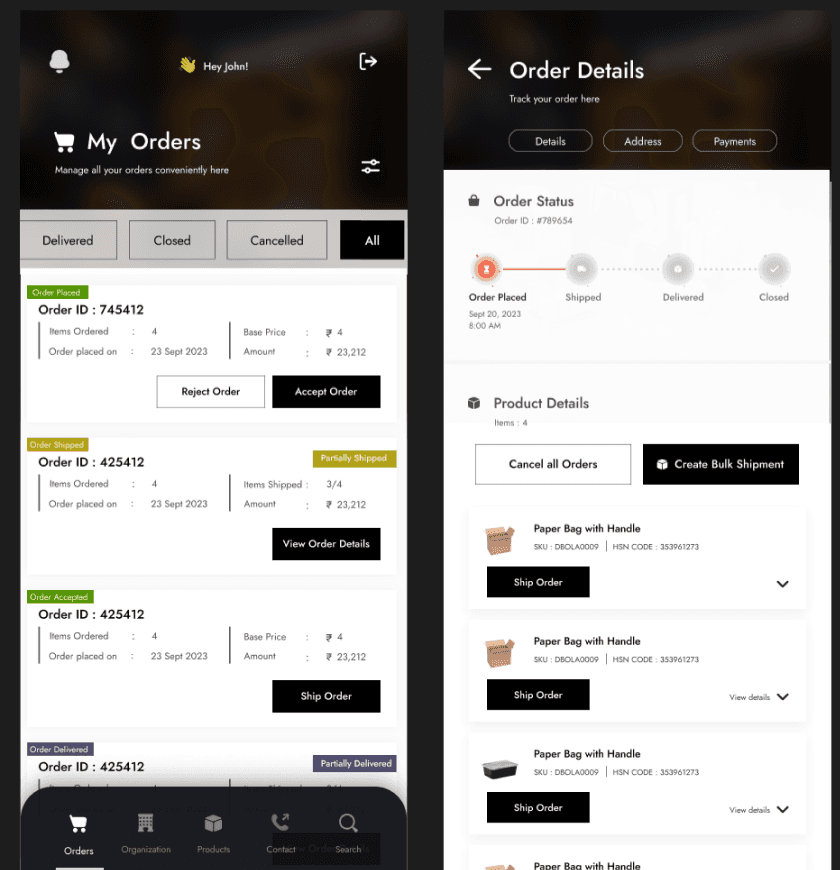
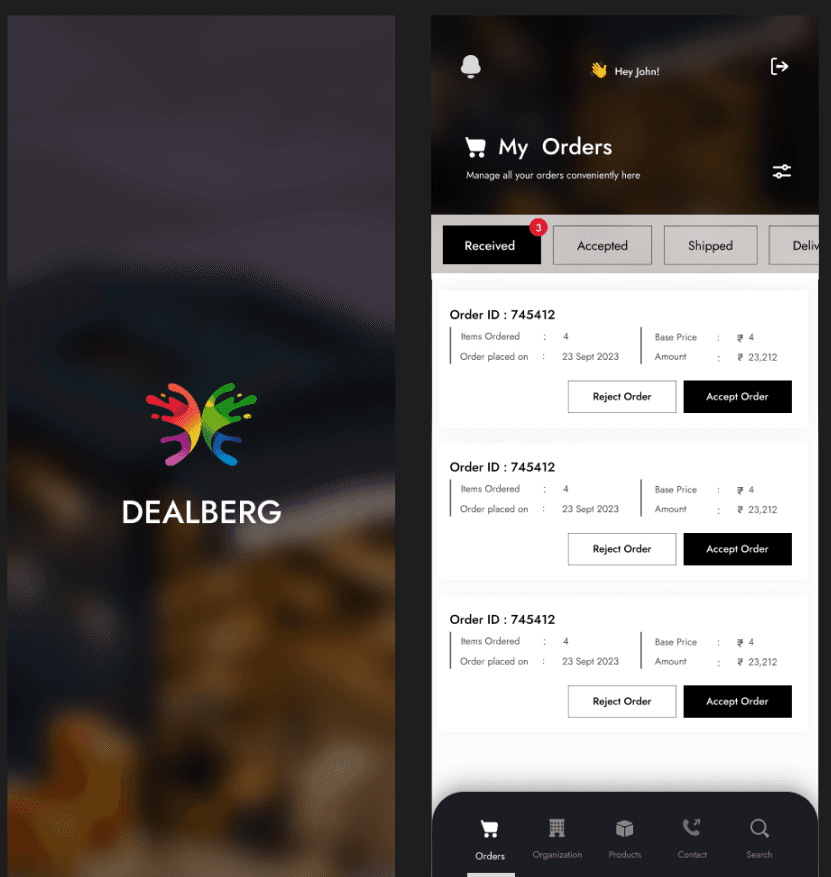
We’ve got a sneak peek of a few page designs from the Vendor Panel. While we can’t spill all the details (top secret stuff, you know 😉), these screens offer a glimpse into the direction we're heading—clean, consistent, and built with purpose.

App Screens
The DealBerg Gateway for Vendors
As a procurement platform operating at the intersection of customer demand and supplier capabilities, Dealberg streamlines the supply chain by providing a dedicated space for vendors: the Vendor Panel.
This panel is designed to empower vendors with the right tools to manage and fulfill customer orders efficiently, based on specific requirements like product type, quantity, production capacity, delivery timelines, and geographic feasibility.
How it Works:
The Vendor Panel is designed to help vendors manage the complete order lifecycle—from receiving customer orders to final delivery. Each order received through the platform is tailored to your capacity, location, and product offerings.
Once a customer places an order through the Customer Portal, it is routed to the appropriate vendor(s) via the panel based on key parameters like product type, quantity, capacity, location, and lead time. Vendors can view, accept, and process these orders in just a few clicks.
Depending on the order type - One-time or Recurring - vendors can plan production and resource allocation accordingly. The platform also supports customer-requested excess quantity additions, giving vendors the flexibility to accommodate changing needs, especially for recurring supply.
Paper Wireframes
To ensure a cohesive experience across the Dealberg ecosystem, the Vendor Panel was thoughtfully designed to align closely with the Admin Panel, maintaining a consistent visual and functional language.
Through multiple rounds of ideation, wireframing, and design iteration, both panels now reflect a unified interface—simplifying onboarding, reducing cognitive load, and enhancing usability for all platform users.
Component Library
Since the design system is built to ensure consistency across all platforms — Customer Portal, Vendor Panel, and Admin Panel — it includes a set of universal components shared across all three, as well as platform-specific components tailored to the unique needs of each interface, such as those specific to the Customer Portal.
Redesign
Building 3D Model to match the concept in Blender

App Screens
Hi-fi Designs
We’ve got a sneak peek of a few page designs from the Vendor Panel. While we can’t spill all the details (top secret stuff, you know 😉), these screens offer a glimpse into the direction we're heading—clean, consistent, and built with purpose.